Map Combo Beginners Guide for ETS2 & ATS
I’m not covering one specific combo in this guide – I’m covering the principles that work for any combination, on any version. Whether you’re watching this on 1.60 or something newer, the logic stays the same.
Requirements
Before downloading anything, two things need to be in order.
First — the game itself. ETS2 and ATS are Steam titles. You need a legitimate copy. That’s it, no workarounds needed.
Second — map DLCs. You need all of them. Not most, not the ones you like — all of them.
Mod developers build on top of official DLC assets. If you’re missing even one DLC, mods that use its roads, cities, or terrain data will fail or cause crashes.
For ETS2 that currently means all paid map DLCs: Iberia, Road to the Black Sea, Beyond the Baltic Sea, Italia, Vive la France, Scandinavia, Going East, West Balkans, Greece, and Nordic Horizons. For ATS: every state DLC released to date, which as of 1.60 includes Illinois.
One thing worth knowing: both games receive periodic free reworks of older regions. SCS rebuilds areas from scratch and ships them as free updates — Benelux, Germany, Austria for ETS2; Route 66 and California for ATS, with UK coming next for ETS2. These are not separate purchases. They arrive with game updates and automatically improve existing DLC content. Mod developers build on top of these too, so keeping your game updated matters just as much as owning the DLCs.
Budget tip: Paid DLCs go on deep discount during Steam seasonal sales — Summer, Autumn, Winter. If you just bought the game, wait for the next sale before spending on all of them. It’s worth it.
Collecting Mods
The easiest starting point is a ready-made combo guide — like the ones on trucksim.top — where someone has already listed all the links in one place. Use the most recent date you can find, because mod versions change with every game update.
Most mods are hosted on Sharemods, MediaFire, Trucky or similar file hosts. Some require a free account, some have slow download speeds on the free tier — that’s normal, just factor in the time.
A few things to know before you start downloading:
Map backgrounds are critical. They look like optional extras but they’re not — they contain map data, zoom levels, and extensions that the combo needs to function. Always include them.
Patches and road connections are not optional. Every combo needs connection patches between maps, and usually a combo fix file. These are small files that most beginners skip — and then wonder why the combo crashes.
Extra mods need caution. Weather mods, real company mods, sound packs — these can conflict with map mods. If you want to add something not in the guide, add it alone first and test before adding more.
On piracy: Don’t use unofficial repacks of paid mods. Beyond the ethics, you simply can’t verify what’s in the file. Stick to official sources linked by the developers.
Installing Mods
All mod files go in one folder:
- ETS2:
Documents / Euro Truck Simulator 2 / mod - ATS:
Documents / American Truck Simulator / mod
Files should be in .scs format. Some downloads come as .zip — if the zip contains .scs files inside, extract them. If the zip itself is the mod, it can sometimes work as-is.
Keep this folder clean. Remove mods you’re no longer using. My active ETS2 mod folder runs over 100GB — if you let outdated files accumulate, troubleshooting becomes a nightmare.
Always create a separate profile for map combos. Don’t mix a big combo with your main save. This protects your existing progress and makes testing much easier.
Performance Settings
Good news here — this got simpler with recent engine updates.
Config file: Navigate to your game’s config.cfg. Find the line uset r_buffer_page_size and make sure it’s set to the default value of 10. Some older guides told you to raise this — that advice is now outdated and can actually hurt performance on current versions. Reset it to 10 if you changed it.
Steam Launch Options: If you have memory allocation parameters in your launch options — specifically -mm_pool_size, -mm_max_resource_size, or -mm_max_tmp_buffers_size — remove them. The engine no longer needs manual memory allocation. The game manages it better on its own now.
What you can keep:
64bit -nointro -unlimitedlog -rdevice dx11
That’s enough. Clean and simple.
Load Order
This is where most beginners go wrong. Load order is not optional and it’s not flexible — wrong order means a broken combo, guaranteed.
The mod manager starts empty the first time you open it. You move files from your mod folder into the active list one by one, and the position of each file in that list is the load order.
The key principle beginners miss: fixes don’t go in one block at the bottom — each fix sits directly above the map it patches. A fix file needs to load after the map it’s correcting, so it sits above it in the list. Road connections between two maps sit above both of them.
Map background goes at the very top — it needs to see the entire combo below it to extend and render it correctly.
This is why you cannot improvise the order. Don’t try to figure it out yourself — just follow the exact sequence from the guide you used. The video description shows the full list. Copy it exactly.
Troubleshooting
If the combo doesn’t load or crashes:
Check these first, in this order:
- Are all map DLCs installed and activated in Steam?
- Is every file from the guide present in your mod folder — including patches, fixes, and backgrounds?
- Is the load order exactly as shown in the guide?
- Are there any extra mods active that weren’t in the guide?
Most failures trace back to one of these four. There’s no shortcut — if something is wrong, you go back through the checklist.
The game log file (game.log.txt in the same folder as config.cfg) will show you exactly which mod is causing a conflict if you want to dig deeper.
After a Game Update
This is the reality of live-service games: when ETS2 or ATS updates, most map mods need to update too. You can’t run 1.59 mods on 1.60 — the game will tell you they’re incompatible.
When a new version drops:
- Don’t update the game immediately if you’re mid-combo
- Wait for mod authors to release updated versions — this usually takes a few days to a couple of weeks for major mods
- Check trucksim.top or the channels you follow for an updated combo post before rebuilding
Patience after a game update saves a lot of frustration.
That covers everything you need to build a working map combo from scratch.
Support Trucksim!
Hello everyone and welcome to Trucksim blog,
I revived my Patreon early this year and sometimes do extra content there.
I wanted to have an honest conversation with you about Trucksim and its future.
What This Project Is
For over 6 years, I’ve been creating detailed map combo tutorials, hidden road guides, and 100% discovered profiles for both ETS2 and ATS. Every major game update, every DLC release, every map mod version – I’m there documenting it, testing combinations, and making sure you have working setups.
The blog (trucksim.top) and YouTube channel exist because I genuinely love this community and these games. But here’s the reality: this is a hobby that takes significant time and effort.
The Real Numbers
Currently, the YouTube channel generates about $30-40 per month from ads. To put that in perspective:
- Each map combo tutorial takes 6-10 hours (testing, recording, editing, writing)
- 100% map discovery guides take 50-60 hours of gameplay per version
- Hidden roads compilations require meticulous exploration and documentation
- The blog requires constant updates, hosting, and maintenance
I earn more in an hours at my regular job than the channel generates in a month. This has always been about community contribution, not income.
Why I’m Setting Up Patreon
I want to keep creating these guides. The community clearly finds them valuable – you watch them, use the profiles, and follow the tutorials. But as the games grow more complex (70+ map combos, over 350 hidden roads in ATS and ETS2, massive map expansions), the time commitment keeps increasing.
Patreon isn’t about getting rich. It’s about making this sustainable as a hobby without feeling like I’m working for free.
Free Content (Always):
- All YouTube tutorials remain free
- All blog guides remain free
- All profiles and save files remain free
- Nothing changes for people who can’t or don’t want to support
The Bottom Line
If 50 people support at $3/month, that’s $150 – roughly what it costs me in time to maintain this project monthly at a minimum wage equivalent. If 100 people support at $3/month, I can justify dedicating more regular time to this instead of feeling guilty about not working on paid projects.
If you’ve ever:
- Saved hours using one of my profiles
- Successfully set up a complex map combo thanks to a tutorial
- Found all the hidden roads using my guides
- Appreciated having free, detailed documentation
…and you can afford $3-10/month, please consider supporting.
If you can’t afford it – that’s completely fine. Everything stays free. I mean that sincerely.
What Happens If Support Doesn’t Come?
Honest answer: Since the income from Patreon since I re-opened it is still very low I’m keep making content, but less frequently. I reduced count of guides and focus only on major updates (new DLCs, significant map releases) instead of every minor version. Instead of spending 5 hours a day I spend only 1. Also unfortunately I removed from description here all perks for higher tier since no-one subscribe it. And itself content for Patreon only also reduced to minimum.
Thank You
Whether you support financially or just watch/read – thank you for being part of this community. Truck sim modding is a niche, but it’s a passionate one, and I’m proud to contribute to it.
Let’s keep this truck rolling (sorry, had to).
Patreon: https://www.patreon.com/c/punkito YouTube: youtube.com/@trucksim Blog: trucksim.top
— Punkito (Trucksim Top)
ETS2 Coaches DLC: Every Bit of News So Far
Euro Truck Simulator 2 is about to trade cargo for passengers. SCS Software’s long-teased “Coaches” expansion has been drip-feeding updates since mid-2025, and with a full gameplay preview finally out in July 2026, now’s a good time to round up everything we know. Here’s the complete story, straight from SCS’s official blog, in chronological order.
The Backstory: A 2013 Idea That Almost Became a Different Game
Coaches for ETS2 isn’t a new idea — it’s over a decade old. Back in 2013, SCS first floated the concept of a coach/bus experience, and by May 2015 the studio had even drawn up plans for a standalone spin-off codenamed “Euro Coach Simulator,” with prototype vehicles like the Setra S 431 DT and Irizar i6/i8 in the works. ETS2’s own runaway success pulled development resources away, and the coach project was shelved — though eagle-eyed players have spotted unused bus station prefabs scattered across the map for years since.
May–June 2025: The Tease and the Reveal
The comeback started quietly. On May 31, 2025, SCS teased a mysterious new feature — a bus pulling out from behind a truck at a rest stop — without explanation.
Two weeks later, on June 14, 2025, it became official. SCS published “Project Coaches,” announcing that the team was building a full Coaches expansion for ETS2. Instead of hauling freight, players will step into the role of a coach driver, picking up and dropping off passengers at redesigned bus terminals across the map. The studio was clear that this was a genuine addition, not a replacement: work on trucks, map expansions, and core ETS2 content continues as normal. CEO Pavel Šebor summed up the philosophy: the goal is to expand the driving experience, not transform it.
Technically, the DLC is also a milestone for the engine itself, since it’s the first time ETS2 will properly support multiple vehicle types side by side — which has reignited community speculation about an eventual return of rigid trucks.
July–August 2025: Meet the Team and the Modelling Process
On July 9, 2025, SCS introduced the eight-person Coaches team — a mix of programmers, game designers, 3D artists, and testers, some with real-world bus driving experience they’re using to make the handling and braking behavior authentic.
A month later (August 7, 2025), the spotlight turned to Senior 3D Artist Vitalii, who described going on a business trip to inspect real coaches firsthand for reference, and the unique challenge of building interiors and passenger animations — a completely different discipline from modelling trucks.
September–October 2025: Bus Stations and the Scania Touring
September 5, 2025 brought a deep dive into bus stations. Producer Dominik revealed that when the project began, ETS2 already had 7 prefab station models spread across more than 100 locations — six of those nearly a decade old are getting a full rebuild, while a newer Road to the Black Sea-era prefab gets a lighter refresh. Newer stations will ditch the old fences and walls so they blend more naturally into city surroundings, and the team confirmed that map updates tied to Coaches will be free for everyone who owns the relevant DLC — you won’t need to buy Coaches itself to get the improved stations.
On September 20, 2025, the first vehicle got its own spotlight: the Scania Touring, a long-distance coach originally launched in 2009, carrying up to 50 passengers depending on configuration. A follow-up “SCS On The Road” walkaround episode arrived October 8, 2025, showing the reference-gathering trip in more detail.
November–December 2025: Passenger Satisfaction and the MAN Lion’s Coach
November 23, 2025 introduced one of the DLC’s signature systems: passenger satisfaction. Driving too aggressively — harsh braking, speeding, rough cornering — will reduce the experience and rewards you earn from a route, pushing players toward smoother, more realistic driving.
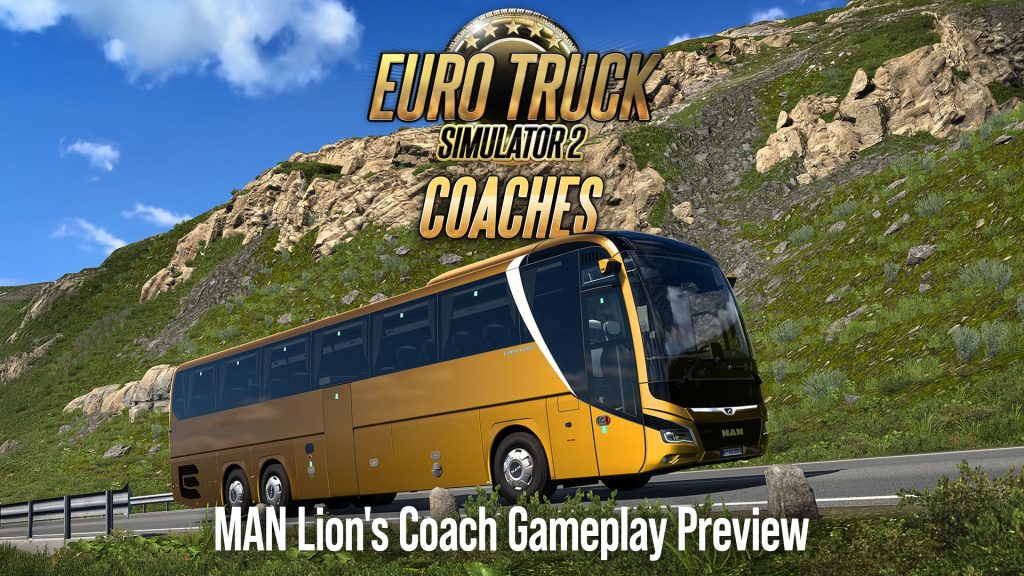
December brought the second confirmed coach. On December 19, 2025, SCS unveiled the MAN Lion’s Coach, powered by MAN’s D26 engine and built in both 4×2 and 6×2 (standard and extended) configurations, with five interior color variants for seats and curtains. A companion “SCS On The Road” episode (December 27, 2025) documented the team’s visit to the MAN Bus Forum in Munich, where they captured reference photos, video, and audio recordings directly from MAN Truck & Bus SE staff.
January–February 2026: Under the Hood with Dominik, and the Volvo 9700 Double Decker
On January 9, 2026, SCS published an extended “Under the Hood” interview with producer Dominik, tracing his path from Italia DLC map designer to leading the Coaches project. He confirmed the team is already looking beyond launch — including “exploring cooperation with other long-distance coach manufacturers” and building out more tourist-oriented destinations for future updates.
February 8, 2026 brought the third confirmed vehicle: the Volvo 9700 Double Decker, a high-capacity coach that can carry up to 96 passengers in its real-world form. In-game, it’s built on a 6×2 chassis, standing 4 meters tall and measuring 14.3 meters long. Players will get official Volvo paint colors, interior customization, curtain colors, and different passenger seat variants, plus an in-game driver assistance system with collision warning and emergency braking.
April 2026: Coaches Meet the Existing Map
On April 19, 2026, SCS explained how Coaches integrates with ETS2’s existing DLC map. Because expansions like Italia, Road to the Black Sea, and Beyond the Baltic Sea were built long before Coaches existed, fitting large bus terminals into already-dense cities has meant reworking existing layouts — and in some cases expanding city footprints just to make room. The team’s priority order was covering major and capital cities first, then filling in gaps, while trying to recreate real-world landmark coach stations wherever the map scale allows.
July 2026: First Gameplay, MAN Lion’s Coach in Action
The biggest update yet arrived July 5, 2026: a full gameplay preview of the MAN Lion’s Coach running a real route from Duisburg to Rotterdam. This is the first time SCS has shown Coaches actually being played rather than just modeled. The preview highlights the passenger satisfaction system in action, a route summary screen showing passenger mood/satisfaction stats at trip’s end, and a visual parking guide for lining the bus up at stations — similar to the trailer-parking guides truckers already know, adapted for passenger stops. SCS also confirmed that cities are being reworked to add dedicated bus stops and long-term parking to support the new routes.
What We Know So Far
- Three confirmed coaches at launch: Scania Touring, MAN Lion’s Coach, Volvo 9700 Double Decker
- Core gameplay: multi-stop scheduled passenger routes, a passenger satisfaction system tied to driving smoothness, redesigned bus terminals across the existing map
- Map impact: free for all ETS2/DLC owners regardless of whether you buy Coaches, with dozens of stations reworked or newly built
- No release date yet — SCS continues to stress that everything shown remains work in progress
Wishlist It
If you want to follow along as this develops, the Coaches DLC has its own Steam store page you can wishlist now. Given the pace of updates — averaging roughly one blog post a month since mid-2025 — expect more vehicle reveals and gameplay previews before launch.
How to Merge Map Progress in Profiles for ETS2 and ATS
New game versions 1.60 updates are here so we will also see the mods updates and it is perfect time to make you perfect profile.
In this guide I explain how to merge several profiles map discovery progress on example of merging vanilla 100% and Promods 87% profiles on ETS2 1.58. You can try this scheme on future versions in both ETS2 and ATS. Below you can find link to text version, tools and also ready strings used in this video and some updated for 1.60.
Guide:
1. Reason
There are several reasons. The most common one:
You play vanilla + DLC on one profile. And you play mod maps like Promods or Roextended on another profile.
Keeping them separate is fine. But what if you want:
- Your 100% vanilla discovery
- Plus your mod map exploration
- Combined into one master profile
Another reason:
You created a new profile for TruckersMP or testing purposes. And later you want your original progress back
Or maybe you lost progress after an update and want to rebuild quickly.
In all these cases — merging discovered map items makes sense.
Important:
In this tutorial we are merging only discovered map items.
We are not merging:
- Garages
- Money
- Drivers
- Trucks
- XP
That is a completely different topic.
2. What Was the Problem With the Old Method?
My year-old guide is still mostly actual and you can still use Notepad++ or other editor but new guide can save you hours. Let me remind you that in every profile, discovered roads are stored in a strict indexed order inside the game.sii file.
If you simply copy part of the data:
- The order becomes incorrect
- Duplicate entries appear
- The profile may crash
- Or the game may behave unpredictably
And this becomes a serious problem because:
- Vanilla profiles contain thousands of discovered entries
- With map mods, this can grow dramatically
Manually fixing that with Notepad++ used to require:
- Regex
- Manual renumbering
- Removing duplicates
- Reindexing everything from zero
It worked — but it was slow and error-prone. So today we go another way. We automate the process using a Python script.
3. Make backups!
If you plan to modify game files always Make backups! This is extremely important.
Your profiles are located by default in: Documents/ETS2/profiles or Documents/ATS/profiles
Copy the entire profiles folder somewhere safe. If something goes wrong, you restore everything in seconds.
Disable Steam Cloud synchronization for all profiles involved. We cannot modify profiles that are stored only in Steam Cloud. After disabling Steam Cloud, profiles will be saved locally in the Documents folder.
4. Preparations and tools
As always for manipulations with the profiles we need several tools:
Truck Tools for save decryption – it is free of charge application you need to install to make various actions with you profiles in both games. You can also use your preferrable tools for game files decryption
https://trucksim.top/trucktools
Sublime Text – we need good text editor that allow us to run big files. While I use Sublime, you can use your preferable text editor like Notepad++ or even VS Code.
https://www.sublimetext.com
Python installed on your system – it will run my script. Python is also free of charge.
https://www.python.org/
The merge-discovered.py script – you can download the script for free
https://sharemods.com/uig6zgjgicrf/merge_discovered.zip.html
How to use Python?
1. Go to the official website: python.org
2. Download the latest stable version for Windows.
3. Run the installer.
⚠️ Very important: Before clicking “Install”, check the box: Add Python to PATH. This is critical. If you skip this, the `python` command will not work in Command Prompt.
4. Click Install and wait.
5. That’s it.
How to Check If Python Is Installed?
Open Command Prompt and type: python –version or py –version
If you see something like: Python 3.x.x You’re ready to go.
If you see an error like “python is not recognized”, then:
Either Python is not installed
Or it was installed without adding to PATH. In that case, reinstall and check the PATH option.
Before starting
1. Make sure all profiles you plan to modify have Steam Cloud disabled.
2. If merging modded profiles, verify that all required mods are present in your mod folder.
3. Enable file decryption in config: g_save_format 2
4. Enable console: uset g_developer 1 and uset g_console 1
5. Make sure all profiles are from the same game version (don’t combine ATS profiles with ETS2 profiles and vice versa)
5. Prepare profiles
Enter each profile you want to merge.
Create a new save to identify them easily by timestamp.
Decrypt each profile using Truck Tools.
Inside each profile, locate the file: game.sii and copy them one by one to a new folder.
6. Merging Process
With the old method, you had to manually clean and reorder everything in Notepad++. With the new method, we only extract the necessary data in seconds.
Instead of manually:
Removing prefixes
Reordering numbers
Re-adding brackets
Generating incremental indices
Removing duplicates
We now use a Python script that:
Extracts all discovered item IDs
Removes duplicates automatically
Reorders them correctly
Recreates properly indexed discovered items entries
Outputs a ready-to-paste result
Shows you stats
Collect all game.sii files from desired profiles in one folder.
You can rename them as you wish, just make sure that they have .sii extension. Example profile3.sii or promods.sii etc.
Put the script merge_discovered.py to the same folder.
Open terminal or command prompt in the script folder (right click with Shift – Open Powershell window here) and type: python merge_discovered.py
or py merge_discovered.py
Press enter
The script will:
Detect all `.sii` files in the folder
Show how many items were found per file
Show total collected items
Show duplicates removed
Generate output file: merged_discovered.txt – fully indexed and ready to paste.
Then Open the target profile’s `game.sii (The profile in which we want to get results of merge)
Replace its `discovered_items` block with the newly generated one.
Save the file.
Open the save in the game.
Enjoy the results.
One known side effect
Recruitment agencies may not work properly after modifying discovered items. If you attempt to hire new drivers after merging, the game may crash.
Recommended workaround: Hire all drivers you need before modifying profiles.
Strings (just to start playing with profiles):
Promods 2.82 + Vanilla and all DLCs 1.59 (100% opened): https://sharemods.com/xuo0fn6jgqnu/trucksim-100-promods.zip.html
Vanilla ATS 1.60: https://sharemods.com/qcqt9a9qfffv/trucksim160fullsave.zip.html (video guide: https://youtu.be/9JzRN3TqAnY)
Vanilla ETS2 1.59 (actual in 1.60 for 99.99%) https://sharemods.com/irszelmdlt36/trucksim-ets159may.zip.html (video guide: https://youtu.be/AZdRvxQZ2HQ)
Roextended +Vanilla and all DLCs (outdated): https://sharemods.com/3lmagkhl784x/roex99percent_trucksim.txt.html
Promods 2.74 (99.9%, outdated) https://sharemods.com/njxw5ia2bwqb/promods-trucksim.zip.html (video:https://youtu.be/sZzEPyASnAM?si=RUmCuI5c0vzeHn59)
What’s future ATS 30 DLC states?
My thoughts and community speculations on interactive video podcast about future expansion in America (USA, Canada, Mexico) in ATS. On the visual map I tried to show what is already available and what we are going to wait in the future on American Truck Simulator.
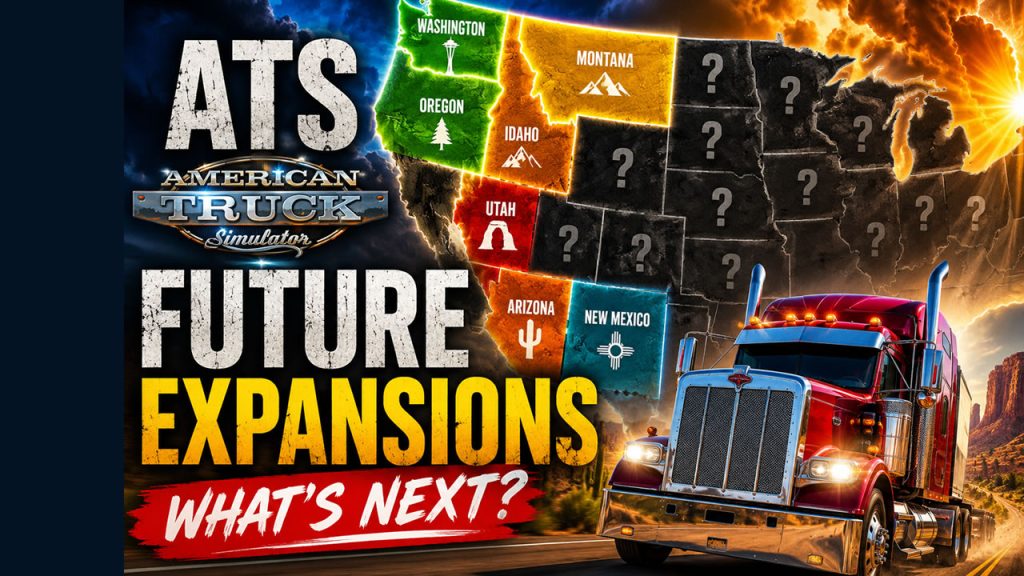
Year ago I did the same podcast What’s future ATS 33 DLC states?
Map Combo Beginners Guide — ETS2 & ATS
This is the map combo beginners guide for Euro Truck Simulator 2 and American Truck Simulator.
I’m not covering one specific combo here — I’m covering the principles that work for any combination, on any version. Whether you’re watching this on 1.60 or something newer, the logic stays the same.
Requirements
Before downloading anything, two things need to be in order.
First — the game itself. ETS2 and ATS are Steam titles. You need a legitimate copy. That’s it, no workarounds needed.
Second — map DLCs. You need all of them. Not most, not the ones you like — all of them.
Mod developers build on top of official DLC assets. If you’re missing even one DLC, mods that use its roads, cities, or terrain data will fail or cause crashes.
For ETS2 that currently means all paid map DLCs: Iberia, Road to the Black Sea, Beyond the Baltic Sea, Italia, Vive la France, Scandinavia, Going East, West Balkans, Greece, and Nordic Horizons. For ATS: every state DLC released to date, which as of 1.60 includes Illinois.
One thing worth knowing: both games receive periodic free reworks of older regions. SCS rebuilds areas from scratch and ships them as free updates — Benelux, Germany, Austria for ETS2; Route 66 and California for ATS, with UK coming next for ETS2. These are not separate purchases. They arrive with game updates and automatically improve existing DLC content. Mod developers build on top of these too, so keeping your game updated matters just as much as owning the DLCs.
Budget tip: Paid DLCs go on deep discount during Steam seasonal sales — Summer, Autumn, Winter. If you just bought the game, wait for the next sale before spending on all of them. It’s worth it.
Collecting Mods
The easiest starting point is a ready-made combo guide — like the ones on trucksim.top — where someone has already listed all the links in one place. Use the most recent date you can find, because mod versions change with every game update.
Most mods are hosted on Sharemods, MediaFire, Trucky or similar file hosts. Some require a free account, some have slow download speeds on the free tier — that’s normal, just factor in the time.
A few things to know before you start downloading:
Map backgrounds are critical. They look like optional extras but they’re not — they contain map data, zoom levels, and extensions that the combo needs to function. Always include them.
Patches and road connections are not optional. Every combo needs connection patches between maps, and usually a combo fix file that sits at the bottom of the load order. These are small files that most beginners skip — and then wonder why the combo crashes.
Extra mods need caution. Weather mods, real company mods, sound packs — these can conflict with map mods. If you want to add something not in the guide, add it alone first and test before adding more.
On piracy: Don’t use unofficial repacks of paid mods. Beyond the ethics, you simply can’t verify what’s in the file. Stick to official sources linked by the developers.
Installing Mods
All mod files go in one folder:
- ETS2:
Documents / Euro Truck Simulator 2 / mod - ATS:
Documents / American Truck Simulator / mod
Files should be in .scs format. Some downloads come as .zip — if the zip contains .scs files inside, extract them. If the zip itself is the mod, it can sometimes work as-is.
Keep this folder clean. Remove mods you’re no longer using. My active ETS2 mod folder runs over 100GB — if you let outdated files accumulate, troubleshooting becomes a nightmare.
Always create a separate profile for map combos. Don’t mix a big combo with your main save. This protects your existing progress and makes testing much easier.
Performance Settings
Good news here — this got simpler with recent engine updates.
Config file: Navigate to your game’s config.cfg. Find the line uset r_buffer_page_size and make sure it’s set to the default value of 10. Some older guides told you to raise this — that advice is now outdated and can actually hurt performance on current versions. Reset it to 10 if you changed it.
Steam Launch Options: If you have memory allocation parameters in your launch options — specifically -mm_pool_size, -mm_max_resource_size, or -mm_max_tmp_buffers_size — remove them. The engine no longer needs manual memory allocation. The game manages it better on its own now.
What you can keep:
64bit -nointro -unlimitedlog -rdevice dx11
That’s enough. Clean and simple.
Load Order
This is where most beginners go wrong. Load order is not optional and it’s not flexible — wrong order means a broken combo, guaranteed.
The mod manager starts empty the first time you open it. You move files from your mod folder into the active list one by one, and the position of each file in that list is the load order.
The key principle beginners miss: fixes don’t go in one block at the bottom — each fix sits directly above the map it patches. A fix file needs to load after the map it’s correcting, so it sits above it in the list. Road connections between two maps sit above both of them.
Map background goes at the very top — it needs to see the entire combo below it to extend and render it correctly.
This is why you cannot improvise the order. Don’t try to figure it out yourself — just follow the exact sequence from the guide you used. The video description shows the full list. Copy it exactly.
Troubleshooting
If the combo doesn’t load or crashes:
Check these first, in this order:
- Are all map DLCs installed and activated in Steam?
- Is every file from the guide present in your mod folder — including patches, fixes, and backgrounds?
- Is the load order exactly as shown in the guide?
- Are there any extra mods active that weren’t in the guide?
Most failures trace back to one of these four. There’s no shortcut — if something is wrong, you go back through the checklist.
The game log file (game.log.txt in the same folder as config.cfg) will show you exactly which mod is causing a conflict if you want to dig deeper.
After a Game Update
This is the reality of live-service games: when ETS2 or ATS updates, most map mods need to update too. You can’t run 1.59 mods on 1.60 — the game will tell you they’re incompatible.
When a new version drops:
- Don’t update the game immediately if you’re mid-combo
- Wait for mod authors to release updated versions — this usually takes a few days to a couple of weeks for major mods
- Check trucksim.top or the channels you follow for an updated combo post before rebuilding
Patience after a game update saves a lot of frustration.
That covers everything you need to build a working map combo from scratch. If you have questions, drop them in the comments.
Map Combo Beginners Guide — ETS2 & ATS (2026)
This is the map combo beginners guide for Euro Truck Simulator 2 and American Truck Simulator.
I’m not covering one specific combo here — I’m covering the principles that work for any combination, on any version. Whether you’re watching this on 1.59 or something newer, the logic stays the same.
Requirements
Before downloading anything, two things need to be in order.
First — the game itself. ETS2 and ATS are Steam titles. You need a legitimate copy. That’s it, no workarounds needed.
Second — map DLCs. You need all of them. Not most, not the ones you like — all of them.
Mod developers build on top of official DLC assets. If you’re missing even one DLC, mods that use its roads, cities, or terrain data will fail or cause crashes.
For ETS2 that currently means all paid map DLCs: Iberia, Road to the Black Sea, Beyond the Baltic Sea, Italia, Vive la France, Scandinavia, Going East, West Balkans, Greece, and Nordic Horizons. For ATS: every state DLC released to date, which as of 1.59 includes Illinois.
One thing worth knowing: both games receive periodic free reworks of older regions. SCS rebuilds areas from scratch and ships them as free updates — Benelux, Germany, Austria for ETS2; Route 66 and California for ATS, with UK coming next for ETS2. These are not separate purchases. They arrive with game updates and automatically improve existing DLC content. Mod developers build on top of these too, so keeping your game updated matters just as much as owning the DLCs.
Budget tip: Paid DLCs go on deep discount during Steam seasonal sales — Summer, Autumn, Winter. If you just bought the game, wait for the next sale before spending on all of them. It’s worth it.
Collecting Mods
The easiest starting point is a ready-made combo guide — like the ones on trucksim.top — where someone has already listed all the links in one place. Use the most recent date you can find, because mod versions change with every game update.
Most mods are hosted on Sharemods, MediaFire, Trucky or similar file hosts. Some require a free account, some have slow download speeds on the free tier — that’s normal, just factor in the time.
A few things to know before you start downloading:
Map backgrounds are critical. They look like optional extras but they’re not — they contain map data, zoom levels, and extensions that the combo needs to function. Always include them.
Patches and road connections are not optional. Every combo needs connection patches between maps, and usually a combo fix file that sits at the bottom of the load order. These are small files that most beginners skip — and then wonder why the combo crashes.
Extra mods need caution. Weather mods, real company mods, sound packs — these can conflict with map mods. If you want to add something not in the guide, add it alone first and test before adding more.
On piracy: Don’t use unofficial repacks of paid mods. Beyond the ethics, you simply can’t verify what’s in the file. Stick to official sources linked by the developers.
Installing Mods
All mod files go in one folder:
- ETS2:
Documents / Euro Truck Simulator 2 / mod - ATS:
Documents / American Truck Simulator / mod
Files should be in .scs format. Some downloads come as .zip — if the zip contains .scs files inside, extract them. If the zip itself is the mod, it can sometimes work as-is.
Keep this folder clean. Remove mods you’re no longer using. My active ETS2 mod folder runs over 100GB — if you let outdated files accumulate, troubleshooting becomes a nightmare.
Always create a separate profile for map combos. Don’t mix a big combo with your main save. This protects your existing progress and makes testing much easier.
Performance Settings
Good news here — this got simpler with recent engine updates.
Config file: Navigate to your game’s config.cfg. Find the line uset r_buffer_page_size and make sure it’s set to the default value of 10. Some older guides told you to raise this — that advice is now outdated and can actually hurt performance on current versions. Reset it to 10 if you changed it.
Steam Launch Options: If you have memory allocation parameters in your launch options — specifically -mm_pool_size, -mm_max_resource_size, or -mm_max_tmp_buffers_size — remove them. The engine no longer needs manual memory allocation. The game manages it better on its own now.
What you can keep:
64bit -nointro -unlimitedlog -rdevice dx11
That’s enough. Clean and simple.
Load Order
This is where most beginners go wrong. Load order is not optional and it’s not flexible — wrong order means a broken combo, guaranteed.
The mod manager starts empty the first time you open it. You move files from your mod folder into the active list one by one, and the position of each file in that list is the load order.
The key principle beginners miss: fixes don’t go in one block at the bottom — each fix sits directly above the map it patches. A fix file needs to load after the map it’s correcting, so it sits above it in the list. Road connections between two maps sit above both of them.
Map background goes at the very top — it needs to see the entire combo below it to extend and render it correctly.
This is why you cannot improvise the order. Don’t try to figure it out yourself — just follow the exact sequence from the guide you used. The video description shows the full list. Copy it exactly.
Troubleshooting
If the combo doesn’t load or crashes:
Check these first, in this order:
- Are all map DLCs installed and activated in Steam?
- Is every file from the guide present in your mod folder — including patches, fixes, and backgrounds?
- Is the load order exactly as shown in the guide?
- Are there any extra mods active that weren’t in the guide?
Most failures trace back to one of these four. There’s no shortcut — if something is wrong, you go back through the checklist.
The game log file (game.log.txt in the same folder as config.cfg) will show you exactly which mod is causing a conflict if you want to dig deeper.
After a Game Update
This is the reality of live-service games: when ETS2 or ATS updates, most map mods need to update too. You can’t run 1.59 mods on 1.60 — the game will tell you they’re incompatible.
When a new version drops:
- Don’t update the game immediately if you’re mid-combo
- Wait for mod authors to release updated versions — this usually takes a few days to a couple of weeks for major mods
- Check trucksim.top or the channels you follow for an updated combo post before rebuilding
Patience after a game update saves a lot of frustration.
That covers everything you need to build a working map combo from scratch. If you have questions, drop them in the comments.
5 Years Trucksim Channel Anniversary
Earlier this month, trucksim.top celebrated 6 years online.
But today is another important milestone for me personally —
5 years ago, on May 13, I decided to move away from my personal YouTube channel and fully focus on a dedicated TruckSim channel.
Looking back now, it was absolutely the right decision.
📊 5 years later
- 6.22K subscribers
- 2+ million views
- 50.6K watch hours
- 695 videos published
Honestly, seeing those numbers still feels unreal sometimes.
The channel started with simple gameplay videos, experiments, and updates around Euro Truck Simulator 2 and American Truck Simulator.
🚛 What matters most
The biggest thing wasn’t the numbers.
It was building a community of people who enjoy the same weirdly specific things:
- hidden roads
- map combinations
- game mechanics
- optimization
- exploration
Some videos took days of preparation for just a few minutes of content.
Some completely failed.
Some unexpectedly exploded.
That’s just part of the journey.
🙌 Thank you
If you ever watched a video, left a comment or subscribed — thank you.
You helped turn a small experiment from 2021 into something real.
The road continues. 🚚
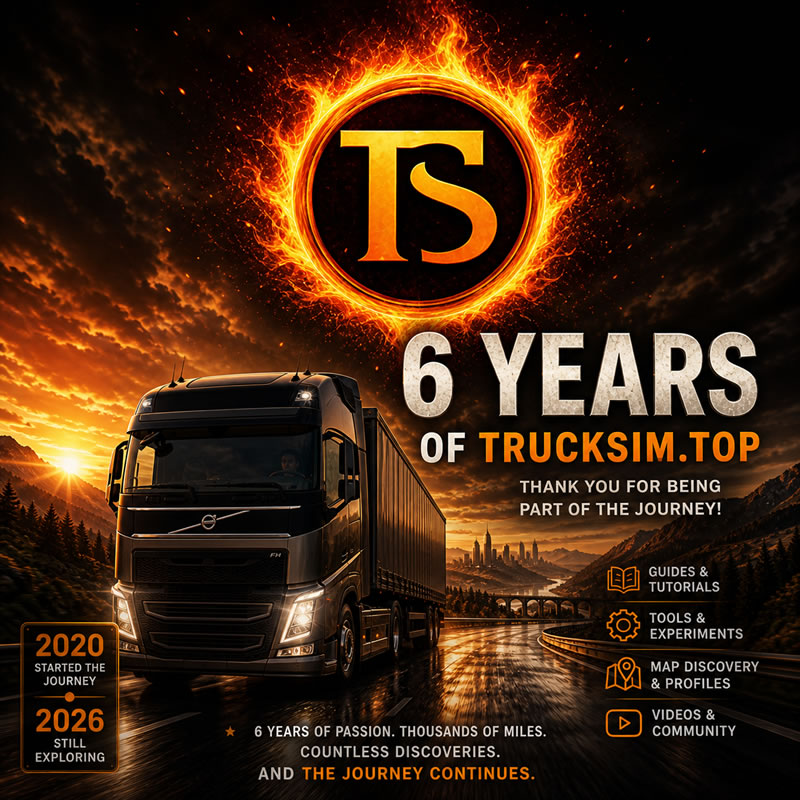
Trucksim.top Turns 6: From First Posts to Thousands of Miles
Today marks 6 years since I started trucksim.top.
What began as a simple idea — sharing tips, discoveries, and experiments in American Truck Simulator and Euro Truck Simulator 2 — turned into something much bigger than I expected.
🚛 What happened over these 6 years
- Dozens of guides on profiles, map discovery, and game mechanics
- Experiments with save editing and optimization
- Coverage of new DLCs, updates, and features
- YouTube content alongside the blog
- A growing audience of people who actually care about the details
Some posts were simple. Some took hours (or days) of testing.
But the goal stayed the same: make useful, practical content for truck sim players.
🔧 What makes this blog different
There are a lot of ATS/ETS2 blogs and videos out there.
Most repeat the same info.
Here, I try to go deeper:
- Not just what works, but why it works
- Not just guides, but real experiments
- Not just news, but context
If you’ve ever used one of my profiles, strings, or guides — you know what I mean.
📈 What changed
A lot.
The games evolved.
The map got bigger.
Tools and mods became more advanced.
And honestly — the expectations are higher now.
People want faster, better, more detailed content.
🔮 What’s next
I’m not planning to stop.
In fact, I want to push further:
- More advanced guides (especially around map data & automation)
- Better tools and reusable templates
- More structured content instead of one-off posts
- Deeper integration between blog and YouTube
🙌 Thanks
If you’ve been reading, watching, or using anything from trucksim.top — thank you.
Even if you just stopped by once to grab a guide — that still counts.
ATS Upcoming Illinois DLC release on May, 14
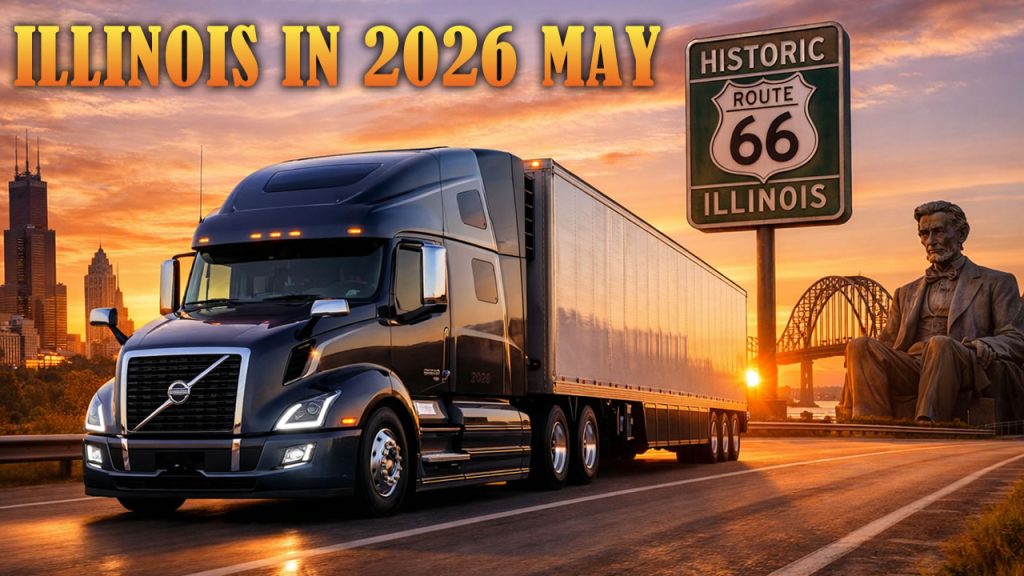
American Truck Simulator continues its expansion into the American Midwest, and one of the most anticipated upcoming map expansions is the Illinois DLC. This new state will bring players to the heart of the U.S. transportation network, featuring major cities, iconic highways, and a diverse economy centered around agriculture, industry, and logistics.
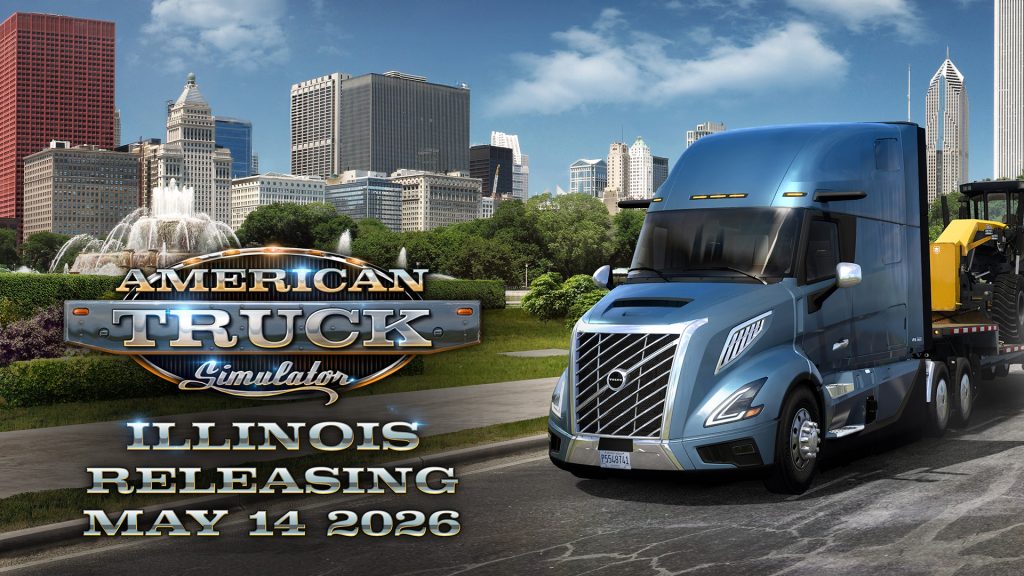
SCS Software revealed official date of release – May, 14 – 2026 as well as official video trailer.
Welcome to the Prairie State
The Illinois DLC was officially announced in February 2025. The state is often called the Prairie State, known for its vast farmland, historic towns, and one of the most important transportation hubs in the United States.
In ATS, Illinois will allow players to:
- Drive along historic routes such as Route 66
- Explore the state capital Springfield
- Visit the massive metropolitan area of Chicago
- Travel through agricultural regions and industrial corridors
The state sits in a key geographic position connecting the Midwest with the rest of the country, which makes it an important logistics hub both in real life and in the game.
Cities Expected in the Illinois DLC
According to teasers and previews, Illinois will include a mix of major cities and smaller towns. The currently known or expected cities include:
- Chicago
- Springfield
- Peoria
- Champaign
- Bloomington
- Rockford
- Quincy
- Effingham
- Marion
- East St. Louis
- Moline
These locations will allow players to experience a mix of large metropolitan areas, mid-sized industrial cities, and smaller agricultural communities.
Detailed City Previews
Peoria
One of the cities already showcased by SCS is Peoria, located along the Illinois River.
In ATS, the city will include:
- Industrial depots related to heavy equipment manufacturing
- A custom river port depot
- Scenic riverfront driving routes
- Connections via Interstate 74 and US Route 24
Peoria’s strong manufacturing heritage and river logistics will play an important role in the cargo economy of the region.
Champaign
Another previewed city is Champaign, part of the Champaign-Urbana metropolitan area.
Highlights expected in ATS include:
- University-inspired landmarks and buildings
- A recognizable downtown skyline
- Agricultural industries such as corn and soybean farming
- Depots like food processing plants, warehouses, and retail stores
The region will represent the agricultural heart of Illinois, providing a variety of cargo opportunities for players.
Smaller Towns and Settlements
In addition to the main cities, the Illinois DLC will feature at least 11 smaller settlements. These towns help make the map feel more realistic and provide additional road connections and scenery.
One example shown by the developers is Monmouth, a historic agricultural town in western Illinois near the Iowa border.
These settlements will likely include:
- Small agricultural communities
- Scenic rural roads
- Truck stops and service areas
Industries and Cargo
Illinois is one of the most economically diverse states in the U.S., and the DLC will reflect that with a wide range of industries.
Expected cargo sectors include:
- Agriculture (corn, soybeans, farm supplies)
- Food processing
- Manufacturing and heavy equipment
- Logistics and warehousing
- River and rail transportation
The state is also known for its role in national exports and manufacturing, making it a natural fit for ATS freight operations.
Roads and Truck Stops
Developers have already teased several truck stops and highway facilities located across the state, including rest areas near:
- Peoria
- Rockford
- Effingham
- Rend Lake
These locations will provide realistic rest areas for long-distance trucking routes through the Midwest.
Illinois is expected to feature major interstate connections, including corridors linking the state with neighboring DLC regions.
Final Thoughts
The Illinois DLC represents an important step in the eastward expansion of American Truck Simulator. With major logistics hubs like Chicago, historic highways like Route 66, and a mix of industry and agriculture, the Prairie State has the potential to become one of the most interesting regions in the game.
Illinois looks like a promising addition to the growing ATS map.