How to Merge Map Progress in Profiles for ETS2 and ATS
New game versions 1.60 updates are here so we will also see the mods updates and it is perfect time to make you perfect profile.
In this guide I explain how to merge several profiles map discovery progress on example of merging vanilla 100% and Promods 87% profiles on ETS2 1.58. You can try this scheme on future versions in both ETS2 and ATS. Below you can find link to text version, tools and also ready strings used in this video and some updated for 1.60.
Guide:
1. Reason
There are several reasons. The most common one:
You play vanilla + DLC on one profile. And you play mod maps like Promods or Roextended on another profile.
Keeping them separate is fine. But what if you want:
- Your 100% vanilla discovery
- Plus your mod map exploration
- Combined into one master profile
Another reason:
You created a new profile for TruckersMP or testing purposes. And later you want your original progress back
Or maybe you lost progress after an update and want to rebuild quickly.
In all these cases — merging discovered map items makes sense.
Important:
In this tutorial we are merging only discovered map items.
We are not merging:
- Garages
- Money
- Drivers
- Trucks
- XP
That is a completely different topic.
2. What Was the Problem With the Old Method?
My year-old guide is still mostly actual and you can still use Notepad++ or other editor but new guide can save you hours. Let me remind you that in every profile, discovered roads are stored in a strict indexed order inside the game.sii file.
If you simply copy part of the data:
- The order becomes incorrect
- Duplicate entries appear
- The profile may crash
- Or the game may behave unpredictably
And this becomes a serious problem because:
- Vanilla profiles contain thousands of discovered entries
- With map mods, this can grow dramatically
Manually fixing that with Notepad++ used to require:
- Regex
- Manual renumbering
- Removing duplicates
- Reindexing everything from zero
It worked — but it was slow and error-prone. So today we go another way. We automate the process using a Python script.
3. Make backups!
If you plan to modify game files always Make backups! This is extremely important.
Your profiles are located by default in: Documents/ETS2/profiles or Documents/ATS/profiles
Copy the entire profiles folder somewhere safe. If something goes wrong, you restore everything in seconds.
Disable Steam Cloud synchronization for all profiles involved. We cannot modify profiles that are stored only in Steam Cloud. After disabling Steam Cloud, profiles will be saved locally in the Documents folder.
4. Preparations and tools
As always for manipulations with the profiles we need several tools:
Truck Tools for save decryption – it is free of charge application you need to install to make various actions with you profiles in both games. You can also use your preferrable tools for game files decryption
https://trucksim.top/trucktools
Sublime Text – we need good text editor that allow us to run big files. While I use Sublime, you can use your preferable text editor like Notepad++ or even VS Code.
https://www.sublimetext.com
Python installed on your system – it will run my script. Python is also free of charge.
https://www.python.org/
The merge-discovered.py script – you can download the script for free
https://sharemods.com/uig6zgjgicrf/merge_discovered.zip.html
How to use Python?
1. Go to the official website: python.org
2. Download the latest stable version for Windows.
3. Run the installer.
⚠️ Very important: Before clicking “Install”, check the box: Add Python to PATH. This is critical. If you skip this, the `python` command will not work in Command Prompt.
4. Click Install and wait.
5. That’s it.
How to Check If Python Is Installed?
Open Command Prompt and type: python –version or py –version
If you see something like: Python 3.x.x You’re ready to go.
If you see an error like “python is not recognized”, then:
Either Python is not installed
Or it was installed without adding to PATH. In that case, reinstall and check the PATH option.
Before starting
1. Make sure all profiles you plan to modify have Steam Cloud disabled.
2. If merging modded profiles, verify that all required mods are present in your mod folder.
3. Enable file decryption in config: g_save_format 2
4. Enable console: uset g_developer 1 and uset g_console 1
5. Make sure all profiles are from the same game version (don’t combine ATS profiles with ETS2 profiles and vice versa)
5. Prepare profiles
Enter each profile you want to merge.
Create a new save to identify them easily by timestamp.
Decrypt each profile using Truck Tools.
Inside each profile, locate the file: game.sii and copy them one by one to a new folder.
6. Merging Process
With the old method, you had to manually clean and reorder everything in Notepad++. With the new method, we only extract the necessary data in seconds.
Instead of manually:
Removing prefixes
Reordering numbers
Re-adding brackets
Generating incremental indices
Removing duplicates
We now use a Python script that:
Extracts all discovered item IDs
Removes duplicates automatically
Reorders them correctly
Recreates properly indexed discovered items entries
Outputs a ready-to-paste result
Shows you stats
Collect all game.sii files from desired profiles in one folder.
You can rename them as you wish, just make sure that they have .sii extension. Example profile3.sii or promods.sii etc.
Put the script merge_discovered.py to the same folder.
Open terminal or command prompt in the script folder (right click with Shift – Open Powershell window here) and type: python merge_discovered.py
or py merge_discovered.py
Press enter
The script will:
Detect all `.sii` files in the folder
Show how many items were found per file
Show total collected items
Show duplicates removed
Generate output file: merged_discovered.txt – fully indexed and ready to paste.
Then Open the target profile’s `game.sii (The profile in which we want to get results of merge)
Replace its `discovered_items` block with the newly generated one.
Save the file.
Open the save in the game.
Enjoy the results.
One known side effect
Recruitment agencies may not work properly after modifying discovered items. If you attempt to hire new drivers after merging, the game may crash.
Recommended workaround: Hire all drivers you need before modifying profiles.
Strings (just to start playing with profiles):
Promods 2.82 + Vanilla and all DLCs 1.59 (100% opened): https://sharemods.com/xuo0fn6jgqnu/trucksim-100-promods.zip.html
Vanilla ATS 1.60: https://sharemods.com/qcqt9a9qfffv/trucksim160fullsave.zip.html (video guide: https://youtu.be/9JzRN3TqAnY)
Vanilla ETS2 1.59 (actual in 1.60 for 99.99%) https://sharemods.com/irszelmdlt36/trucksim-ets159may.zip.html (video guide: https://youtu.be/AZdRvxQZ2HQ)
Roextended +Vanilla and all DLCs (outdated): https://sharemods.com/3lmagkhl784x/roex99percent_trucksim.txt.html
Promods 2.74 (99.9%, outdated) https://sharemods.com/njxw5ia2bwqb/promods-trucksim.zip.html (video:https://youtu.be/sZzEPyASnAM?si=RUmCuI5c0vzeHn59)
Soul of Anatolia DLC – Türkiye will come to ETS2
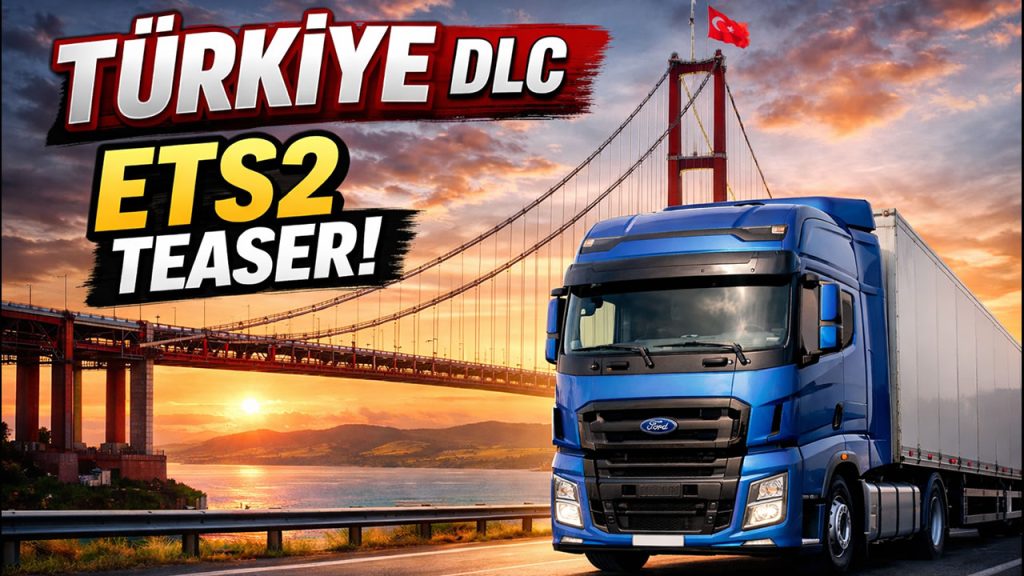
The mystery is over. After teasing us last week with a cryptic post called “Bridge Between Communities” — featuring a single shot of the iconic 1915 Çanakkale Bridge — SCS Software has officially pulled back the curtain today. The next map expansion for Euro Truck Simulator 2 is called Soul of Anatolia, and it’s taking us deep into Türkiye.
What Is Soul of Anatolia?
Soul of Anatolia is an upcoming paid DLC for ETS2 that covers Anatolia — the vast Asian heartland of Türkiye that has never been in the game before. SCS describes it as a land of stunning contrasts: sunlit coasts, towering mountains, open plains, olive groves, and the glittering Mediterranean. The expansion runs from Istanbul all the way east to Aksaray.
The confirmed locations and highlights from the reveal include:
- 1915 Çanakkale Bridge — the world’s longest suspension bridge, crossing the Dardanelles strait, serving as your gateway into Anatolia
- Yavuz Sultan Selim Bridge and Osmangazi Bridge — two more engineering landmarks you’ll cross on your routes
- Ankara — the capital city, positioned as a central logistics hub of the expansion
- Tuz Gölü — the massive salt lake in central Anatolia
- Antalya and Alanya — major Mediterranean tourist cities with hotel cargo delivery routes
- Challenging coastal roads along both the northern and southern shores, plus steep mountain routes with tight turns and big views
The Steam page is already live, and you can wishlist it now at store.steampowered.com/app/4400930.
Why This Is a Big Deal
Türkiye is already partially in ETS2 — the Road to the Black Sea DLC (2019) added the European side of the country: Edirne, Istanbul with Bosphorus views, and the Kapikule border crossing. Istanbul is still one of the largest and most detailed cities in the game. But everything beyond the Bosphorus — Ankara, Izmir, the entire coastline, Central Anatolia — has been missing for over six years.
Soul of Anatolia fills that gap, and then some. More importantly, this DLC marks a historic first: ETS2 stepping outside of Europe and into Asia. That’s not just a geographical expansion — it’s a signal of where the game can go next. The Caucasus, the Middle East, Central Asia — none of that is confirmed, but it’s now a realistic conversation for the first time.
What About the Mods?
While the official DLC has been in the community’s wishlist for years, modders never waited around. The most well-known community effort is the Roextended updated up to ETS2 1.58.
There’s also Road to Heavy: Türkiye, a more niche mod focused on heavy haulage simulation across Turkish highways.
Worth noting: once Soul of Anatolia releases officially, these mods will almost certainly become incompatible. They’re great for right now, but treat them as a placeholder — the real thing is coming.
When Can We Expect It?
SCS has been clear that Soul of Anatolia is still early in development — everything shown is work-in-progress and subject to change. There’s no release date, and given SCS’s typical pace of roughly one major map DLC per year, with Iceland and Ireland both still in the queue, a realistic window is no earlier than 2028, with 2029 being equally possible.
That wait will be long, but the announcement itself is the milestone. Soul of Anatolia is happening, it’s confirmed, and the Steam page is live. Add it to your wishlist and settle in.
Map Combo Study 03.19.2026
Since we already have news and signals that new game version 1.59 is around the corner below big versions of map combo can be final, unless something interesting happens on ETS2 1.58. I started later with map combo setups but now we are good in Europe and America with big and giga combinations. I’m not rushing out a combo setup just to be first. I’m not interested in clickbait or quick tricks to gain views. Instead, I will release a combination setup that I personally enjoy and would actually use myself — even if that means it comes out later and don’t updates every day.
There are already well-established rules and best practices that help avoid conflicts and common mistakes I’ve covered in Beginner’s Guide, which I strongly recommend watching before building or updating your map combo. It will save you time, prevent recurring issues, and help you create a stable and enjoyable setup from the start.
ETS2 Giga Map Combo for ETS2 1.58 – Tutorial – March, 15 – 2026
ATS Big Map Combo for ATS 1.58 with 23 Maps – March, 8 – 2026

Guide mentioned above could be helpful:

Youtube channel as well as this blog is my hobby so I can spend on it only the free time. If you like my content please consider to support Trucksim on Patreon.
How to Merge Map Progress in Profiles for ETS2 and ATS – 2026 Guide
New game versions updates are here so we will also see the mods updates and it is perfect time to make you perfect profile.
In this guide I explain how to merge several profiles map discovery progress on example of merging vanilla 100% and Promods 87% profiles on ETS2 1.58. You can try this scheme on future versions in both ETS2 and ATS. Below you can find link to text version, tools and also ready strings used in this video.
Guide:
1. Reason
There are several reasons. The most common one:
You play vanilla + DLC on one profile. And you play mod maps like Promods or Roextended on another profile.
Keeping them separate is fine. But what if you want:
- Your 100% vanilla discovery
- Plus your mod map exploration
- Combined into one master profile
Another reason:
You created a new profile for TruckersMP or testing purposes. And later you want your original progress back
Or maybe you lost progress after an update and want to rebuild quickly.
In all these cases — merging discovered map items makes sense.
Important:
In this tutorial we are merging only discovered map items.
We are not merging:
- Garages
- Money
- Drivers
- Trucks
- XP
That is a completely different topic.
2. What Was the Problem With the Old Method?
My year-old guide is still mostly actual and you can still use Notepad++ or other editor but new guide can save you hours. Let me remind you that in every profile, discovered roads are stored in a strict indexed order inside the game.sii file.
If you simply copy part of the data:
- The order becomes incorrect
- Duplicate entries appear
- The profile may crash
- Or the game may behave unpredictably
And this becomes a serious problem because:
- Vanilla profiles contain thousands of discovered entries
- With map mods, this can grow dramatically
Manually fixing that with Notepad++ used to require:
- Regex
- Manual renumbering
- Removing duplicates
- Reindexing everything from zero
It worked — but it was slow and error-prone. So today we go another way. We automate the process using a Python script.
3. Make backups!
If you plan to modify game files always Make backups! This is extremely important.
Your profiles are located by default in: Documents/ETS2/profiles or Documents/ATS/profiles
Copy the entire profiles folder somewhere safe. If something goes wrong, you restore everything in seconds.
Disable Steam Cloud synchronization for all profiles involved. We cannot modify profiles that are stored only in Steam Cloud. After disabling Steam Cloud, profiles will be saved locally in the Documents folder.
4. Preparations and tools
As always for manipulations with the profiles we need several tools:
Truck Tools for save decryption – it is free of charge application you need to install to make various actions with you profiles in both games. You can also use your preferrable tools for game files decryption
https://trucksim.top/trucktools
Sublime Text – we need good text editor that allow us to run big files. While I use Sublime, you can use your preferable text editor like Notepad++ or even VS Code.
https://www.sublimetext.com
Python installed on your system – it will run my script. Python is also free of charge.
https://www.python.org/
The merge-discovered.py script – you can download the script for free
https://sharemods.com/uig6zgjgicrf/merge_discovered.zip.html
How to use Python?
1. Go to the official website: python.org
2. Download the latest stable version for Windows.
3. Run the installer.
⚠️ Very important: Before clicking “Install”, check the box: Add Python to PATH This is critical. If you skip this, the `python` command will not work in Command Prompt.
4. Click Install and wait.
5. That’s it.
How to Check If Python Is Installed?
Open Command Prompt and type: python –version or py –version
If you see something like: Python 3.x.x You’re ready to go.
If you see an error like “python is not recognized”, then:
Either Python is not installed
Or it was installed without adding to PATH. In that case, reinstall and check the PATH option.
Before starting
1. Make sure all profiles you plan to modify have Steam Cloud disabled.
2. If merging modded profiles, verify that all required mods are present in your mod folder.
3. Enable file decryption in config: g_save_format 2
4. Enable console: uset g_developer 1 and uset g_console 1
5. Make sure all profiles are from the same game version (don’t combine ATS profiles with ETS2 profiles and vice versa)
5. Prepare profiles
Enter each profile you want to merge.
Create a new save to identify them easily by timestamp.
Decrypt each profile using Truck Tools.
Inside each profile, locate the file: game.sii and copy them one by one to a new folder.
6. Merging Process
With the old method, you had to manually clean and reorder everything in Notepad++. With the new method, we only extract the necessary data in seconds.
Instead of manually:
Removing prefixes
Reordering numbers
Re-adding brackets
Generating incremental indices
Removing duplicates
We now use a Python script that:
Extracts all discovered item IDs
Removes duplicates automatically
Reorders them correctly
Recreates properly indexed discovered items entries
Outputs a ready-to-paste result
Shows you stats
Collect all game.sii files from desired profiles in one folder.
You can rename them as you wish, just make sure that they have .sii extension. Example profile3.sii or promods.sii etc.
Put the script merge_discovered.py to the same folder.
Open terminal or command prompt in the script folder (right click with Shift – Open Powershell window here) and type: python merge_discovered.py
or py merge_discovered.py
Press enter
The script will:
Detect all `.sii` files in the folder
Show how many items were found per file
Show total collected items
Show duplicates removed
Generate output file: merged_discovered.txt – fully indexed and ready to paste.
Then Open the target profile’s `game.sii (The profile in which we want to get results of merge)
Replace its `discovered_items` block with the newly generated one.
Save the file.
Open the save in the game.
Enjoy the results.
One known side effect
Recruitment agencies may not work properly after modifying discovered items. If you attempt to hire new drivers after merging, the game may crash.
Recommended workaround: Hire all drivers you need before modifying profiles.
Strings (just to start playing with profiles):
Promods 2.81 + Vanilla and all DLCs 1.58 (97% opened) shown on video: https://sharemods.com/52h3e9m8pz8y/merged_discovered.zip.html
Vanilla ATS 1.58: https://sharemods.com/9za32n2np5lz/trucksim-ats-158-full.zip.html (video guide: https://youtu.be/cyMA_ve4b0g)
Vanilla ETS2 1.57 (actual in 1.58) https://sharemods.com/qg0c06anedg6/trucksim-100-percent-febr-2026.zip.html (video guide: https://youtu.be/PEDznU4U7T0)
Roextended +Vanilla and all DLCs (outdated): https://sharemods.com/3lmagkhl784x/roex99percent_trucksim.txt.html
Promods 2.74 (99.9%, outdated) https://sharemods.com/njxw5ia2bwqb/promods-trucksim.zip.html (video:https://youtu.be/sZzEPyASnAM?si=RUmCuI5c0vzeHn59)
Map Combo Study 03.03.2026
On the game version 1.58 I started later with map combo setups and while we are good in Europe, American combination will be probably release later this week. As I mentioned earlier I’m not rushing out a combo setup just to be first. I’m not interested in clickbait or quick tricks to gain views. Instead, I will release a combination setup that I personally enjoy and would actually use myself — even if that means it comes out later.
There are already well-established rules and best practices that help avoid conflicts and common mistakes I’ve covered in Beginner’s Guide, which I strongly recommend watching before building or updating your map combo. It will save you time, prevent recurring issues, and help you create a stable and enjoyable setup from the start.
ETS2 Mega Map Combo for ETS2 1.58 – Tutorial – March, 2 – 2026

ATS Big Map Combo for ATS 1.57 with 21 Maps – January, 19 – 2025

Guide mentioned above could be helpful:
Youtube channel as well as this blog is my hobby so I can spend on it only the free time. If you like my content please consider to support Trucksim on Patreon.
Roextended 5.0 is almost ready
It was released 40 versions in 8 years of Roex according to Arayas. And version 5.0 for ETS2 1.58 is almost ready and will present new content.
Map Combo Study 02.06.2025 (Final for 1.57)
Open Beta 1.58 for both games is available now and I will not update map combo setups for 1.57 unless minor fixes of links will come. With official news about game version 1.58 starting to surface, it’s safe to assume that an open beta is just around the corner. 1.58 is major update so we have to give the modding community some time to adapt to the new features and technical changes and release new vesions of their maps.
Until that happens, we still have large and stable map combos available for both Euro Truck Simulator 2 and American Truck Simulator. Big for US and Giga for Europe.
There are already well-established rules and best practices that help avoid conflicts and common mistakes I’ve covered in Beginner’s Guide, which I strongly recommend watching before building or updating your map combo. It will save you time, prevent recurring issues, and help you create a stable and enjoyable setup from the start.
ETS2 Final Giga Map Combo for ETS2 1.57 – Tutorial – February, 2 – 2026

ATS Big Map Combo for ATS 1.57 with 21 Maps – January, 19 – 2025
Guide mentioned above could be helpful:
Youtube channel as well as this blog is my hobby so I can spend on it only the free time. If you like my content please consider to support Trucksim on Patreon.
Map Combo Study 01.26.2025
With official news about game version 1.58 starting to surface, it’s safe to assume that an open beta is just around the corner. As always, a new major update means it’s time to rethink our map setups and give the modding community some time to adapt to the new features and technical changes.
Until that happens, we still have large and stable map combos available for both Euro Truck Simulator 2 and American Truck Simulator. Most upcoming updates to these combos will likely focus on polishing, compatibility fixes, and minor improvements, with the possibility of a few new maps being added.
At this stage, it’s not yet clear how version 1.58 will affect maps and mod management overall. However, for the current game version, there are already well-established rules and best practices that help avoid conflicts and common mistakes. I’ve covered these in detail in my Beginner’s Guide, which I strongly recommend watching before building or updating your map combo. It will save you time, prevent recurring issues, and help you create a stable and enjoyable setup from the start.
ETS2 Giga Map Combo for ETS2 1.57 – Tutorial – January, 13 – 2026

ATS Big Map Combo for ATS 1.57 with 21 Maps – January, 19 – 2025
Guide mentioned above could be helpful:
Youtube channel as well as this blog is my hobby so I can spend on it only the free time. If you like my content please consider to support Trucksim on Patreon.
Map Combo Study 01.10.2025
Mega map combo for ETS2 1.57 is still baking since the latest one (below) was be a bit controversial and a temporary patch (primary to combine Promods 2.80 and Nordic Horizons and add Beyond). New one which I hope to finish on the weekend or later next week will be much bigger and more saturated. For ATS is more or less clear and latest Louisiana combo is working well and American setups is on pause for now.
As always I strongly recommend to start with beginner’s guide and do not ask same questions again and again in the comments and TG channel.
Before you start please always check if the guide you see latest and actual (check dates and videos availability). Please also follow rules and requirements – correct load order, DLCs compatibility and avoid extra mods that did not mentioned in the guide. In some cases you need to create new profile for stable work of maps especially if your old profile have pieces of deleted mods, garages, trucks etc.
Every single mod (not only map) can break the game and you will have a problems. I do not support stolen or pirated content so if you use it – Trucksim isn’t your place.
ETS2 Mega Map Combo for ETS2 1.57 – Tutorial – January, 6 – 2026

ATS Map Combo for ATS 1.57 (New Year Edition) ★ 20 Maps with C2C

Combo with Promods 2.77, Roex, rusmap, EAA, PR, Eurafrica but without Nordic Horizons:

Guide mentioned above could be helpful:
Youtube channel as well as this blog is my hobby so I can spend on it only the free time.
How to Merge Map Progress in Profiles for ETS2 and ATS – 2026 Guide
New game versions updates are here so we will also see the mods updates and it is perfect time to make you perfect profile.
In this guide I explain how to merge several profiles map discovery progress on example of merging vanilla 100% and Roextended 89% profiles on ETS2 1.53. You can try this scheme on 1.57 and in both ETS2 and ATS. I have currently 100% in US and bout 93% in Europe so below you can find links to ready strings to latest versions.

Guide:
1. Reason
Merge discovered items in two profiles let you have updated visited roads in the end even if you exploring maps on different profiles. Also when the new version of the game is being released you can again discover as much as possible and then merge with your old combined profile.
2. Preparations and tools
Download and install software we plan to use – TS SE Tool, Notepad++, make sure that you have mods in mod folder if you plan to merge mod’s profile, make sure that Steam cloud disable for all profiles which will be changed, check config file if you can decrypt game files (g_save_format 2) and can use console (uset g_developer 1, uset g_console 1) and so on.
3. Backup
Backup all the profiles to the separate drive before doing any manipulations.
4. Profiles job
Enter to the profiles you wish to merge and save game to locate desired profiles by timestamp. You should carefully pick correct profiles. Decrypt profiles one by one and open game.sii in each mergeable profile and copy all discovered items to new text file (in this file we will merge them). We can merge 2 or more profiles but don’t forget that it should be from the same version of the game.
5. Merge (most important part)
When all discovered items strings pasted to the text file we have to change the order of numbers – the way as game read each string. Start from removing left part of the string (discovered_items []: ) with Notepad ++ command Find and Replace (Ctrl+C). On the Find what enter discovered_items \[\d+\]: and keep blank on Replace with (we have to remove them). Do not forget check Regular Expression in Search Mode. Replace all and you will get list of numbers. On this step you can also remove duplicates. Now we have to return discovered_items []: text with empty brackets. Alt+C and choose Text to insert and place there discovered_items []: and push ok. On the next step we have to add numbers to the brackets with correct order from 0. Select all in bracket spots (Choose first one and with Alt+Shift select last one) and again Alt+C and choose Number to insert – Initial should be 0, increased by 1, format decimal. Push ok and wait. If you have lot of string it can take a while. When all numbers added to brackets we can remove redundant spaces. Now we can copy strings and paste them to the target profile where will me merged result.
6. Results we get
We have to see discovered roads from 2 or more profiles we combined.
7. Back to play Load from profile where strings added and if you see desired result you can back to game but please bare in mind that recruitment agencies are not gonna work with this method so if you want to hire drivers you game will probably crash. To avoid it hire drivers before profiles modifications.
Useful links:
TS SE Tool https://github.com/LIPtoH/TS-SE-Tool/releases/tag/v0.3.11.0
Notepad++ https://notepad-plus-plus.org
Strings:
Roextended +Vanilla and all DLCs (99% opened, outdated in 1.57) shown on video: https://sharemods.com/3lmagkhl784x/roex99percent_trucksim.txt.html
Vanilla ETS2 1.56 (outdated in 1.57): https://sharemods.com/830si08evgbs/trucksim_full_sept25.zip.html (video guide: https://youtu.be/-Cc1cZvTh1Q)
Vanilla ATS 1.57: https://sharemods.com/8pr2qvazt9aj/trucksim-100-percent-discovered-december2025.zip.html (video guide: https://youtu.be/rP5w6mrBUHc)
Promods 2.77 99.99% (outdated for 2.80) https://sharemods.com/75r1e5f70s5o/trucksim-99-promods.zip.html (video: https://youtu.be/35bCJ1vA6jE)