How to Merge Map Progress in Profiles for ETS2 and ATS – 2025 Guide
In this short guide I will explain you how to merge several profiles map discovery progress on example of merging vanilla 100% and Roextended 89% profiles on ETS2 1.53. You can try this scheme on 1.54 and in both ETS2 and ATS. Below you can find link to text version, tools and also ready strings used in this video (updated to 1.54).

Guide:
1. Reason
Merge discovered items in two profiles let you have updated visited roads in the end even if you exploring maps on different profiles. Also when the new version of the game is being released you can again discover as much as possible and then merge with your old combined profile.
2. Preparations and tools
Download and install software we plan to use – TS SE Tool, Notepad++, make sure that you have mods in mod folder if you plan to merge mod’s profile, make sure that Steam cloud disable for all profiles which will be changed, check config file if you can decrypt game files (g_save_format 2) and can use console (uset g_developer 1, uset g_console 1) and so on.
3. Backup
Backup all the profiles to the separate drive before doing any manipulations.
4. Profiles job
Enter to the profiles you wish to merge and save game to locate desired profiles by timestamp. You should carefully pick correct profiles. Decrypt profiles one by one and open game.sii in each mergeable profile and copy all discovered items to new text file (in this file we will merge them). We can merge 2 or more profiles but don’t forget that it should be from the same version of the game.
5. Merge (most important part)
When all discovered items strings pasted to the text file we have to change the order of numbers – the way as game read each string. Start from removing left part of the string (discovered_items []: ) with Notepad ++ command Find and Replace (Ctrl+C). On the Find what enter discovered_items \[\d+\]: and keep blank on Replace with (we have to remove them). Do not forget check Regular Expression in Search Mode. Replace all and you will get list of numbers. On this step you can also remove duplicates. Now we have to return discovered_items []: text with empty brackets. Alt+C and choose Text to insert and place there discovered_items []: and push ok. On the next step we have to add numbers to the brackets with correct order from 0. Select all in bracket spots (Choose first one and with Alt+Shift select last one) and again Alt+C and choose Number to insert – Initial should be 0, increased by 1, format decimal. Push ok and wait. If you have lot of string it can take a while. When all numbers added to brackets we can remove redundant spaces. Now we can copy strings and paste them to the target profile where will me merged result.
6. Results we get
We have to see discovered roads from 2 or more profiles we combined.
7. Back to play Load from profile where strings added and if you see desired result you can back to game but please bare in mind that recruitment agencies are not gonna work with this method so if you want to hire drivers you game will probably crash. To avoid it hire drivers before profiles modifications.
Useful links:
TS SE Tool https://github.com/LIPtoH/TS-SE-Tool/releases/tag/v0.3.11.0
Notepad++ https://notepad-plus-plus.org
Strings:
Roextended +Vanilla and all DLCs (99% opened) shown on video: https://sharemods.com/3lmagkhl784x/roex99percent_trucksim.txt.html
Vanilla ETS2 1.53: https://sharemods.com/le4g91swcadh/trucksim-ets2-full-save153.zip.html (video guide: https://youtu.be/H12qpCG_RIQ)
Vanilla ETS2 1.54 https://sharemods.com/sbr79ko0zc6h/ets154fullsave_trucksim.zip.html
Vanilla ATS 1.54: https://sharemods.com/2awrhvf2e9fl/trucksim-ats-100discovered-may25.zip.html
Promods 2.73 (99.9%) https://sharemods.com/ehga2vqp6yxz/promods99percent_trucksim.zip.html (video: https://youtu.be/_X7mCaQFFcQ)

How to Merge 2+ Map Progress in Profiles for ETS2 and ATS
In this short guide I will explain you how to merge several profiles map discovery progress on example of merging vanilla 100% and Roextended 89% profiles on ETS2 1.53. You can try this scheme on 1.54 and in both ETS2 and ATS. Below you can find link to text version, tools and also ready strings used in this video (updated to 1.54).
Guide:
1. Reason
Merge discovered items in two profiles let you have updated visited roads in the end even if you exploring maps on different profiles. Also when the new version of the game is being released you can again discover as much as possible and then merge with your old combined profile.
2. Preparations and tools
Download and install software we plan to use – TS SE Tool, Notepad++, make sure that you have mods in mod folder if you plan to merge mod’s profile, make sure that Steam cloud disable for all profiles which will be changed, check config file if you can decrypt game files (g_save_format 2) and can use console (uset g_developer 1, uset g_console 1) and so on.
3. Backup
Backup all the profiles to the separate drive before doing any manipulations.
4. Profiles job
Enter to the profiles you wish to merge and save game to locate desired profiles by timestamp. You should carefully pick correct profiles. Decrypt profiles one by one and open game.sii in each mergeable profile and copy all discovered items to new text file (in this file we will merge them). We can merge 2 or more profiles but don’t forget that it should be from the same version of the game.
5. Merge (most important part)
When all discovered items strings pasted to the text file we have to change the order of numbers – the way as game read each string. Start from removing left part of the string (discovered_items []: ) with Notepad ++ command Find and Replace (Ctrl+C). On the Find what enter discovered_items \[\d+\]: and keep blank on Replace with (we have to remove them). Do not forget check Regular Expression in Search Mode. Replace all and you will get list of numbers. On this step you can also remove duplicates. Now we have to return discovered_items []: text with empty brackets. Alt+C and choose Text to insert and place there discovered_items []: and push ok. On the next step we have to add numbers to the brackets with correct order from 0. Select all in bracket spots (Choose first one and with Alt+Shift select last one) and again Alt+C and choose Number to insert – Initial should be 0, increased by 1, format decimal. Push ok and wait. If you have lot of string it can take a while. When all numbers added to brackets we can remove redundant spaces. Now we can copy strings and paste them to the target profile where will me merged result.
6. Results we get
We have to see discovered roads from 2 or more profiles we combined.
7. Back to play Load from profile where strings added and if you see desired result you can back to game but please bare in mind that recruitment agencies are not gonna work with this method so if you want to hire drivers you game will probably crash. To avoid it hire drivers before profiles modifications.
Useful links:
TS SE Tool https://github.com/LIPtoH/TS-SE-Tool/releases/tag/v0.3.11.0
Notepad++ https://notepad-plus-plus.org
Strings:
Roextended +Vanilla and all DLCs (99% opened) shown on video: https://sharemods.com/3lmagkhl784x/roex99percent_trucksim.txt.html
Vanilla ETS2 1.53: https://sharemods.com/le4g91swcadh/trucksim-ets2-full-save153.zip.html (video guide: https://youtu.be/H12qpCG_RIQ)
Vanilla ETS2 1.54 https://sharemods.com/sbr79ko0zc6h/ets154fullsave_trucksim.zip.html
Vanilla ATS 1.54: https://sharemods.com/2awrhvf2e9fl/trucksim-ats-100discovered-may25.zip.html
Promods 2.73 (99.9%) https://sharemods.com/ehga2vqp6yxz/promods99percent_trucksim.zip.html (video: https://youtu.be/_X7mCaQFFcQ)
[May 2025] Stuck on 99.99% on Promods (1.54 update)
Obviously after release of ETS 2 1.54 and new Promods 2.74 the progress is no more 99.99% and newly added areas have to be discovered and maybe this time I will reach 100% (probably – no). I’m something like 99,4% now and will not share my progress till the end, but if you grab previous one you will be on 99.04%. Below you can also find the link to guide how to merge profiles.
As promised below you can find strings of my progress (Discovered items) for 1.53 version and you know what do do with them you can inject them to your profile. Find below videos about the topic:
How to merge profiles https://youtu.be/ksYq6vzHd-I
How to modify profile (example on vanilla map) https://youtu.be/H12qpCG_RIQ
Discovered items in file (shown in video): https://sharemods.com/ehga2vqp6yxz/promods99percent_trucksim.zip.html
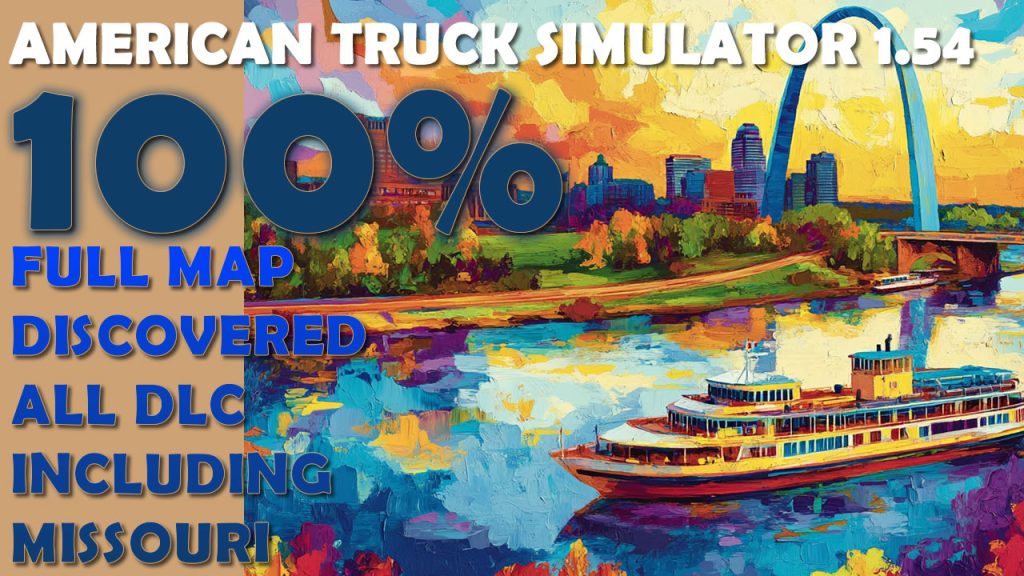
How to open 100% map with all DLC (incl Missouri) in ATS 1.54 * Full Map Discovered, Guide, Profile
The guide is explaining how to open 100% discovered map in ATS 1.54 with all map DLC including fresh Missouri. I did the same guide periodically for ETS 2 and ATS but latest American guide was 5 month ago for Arkansas and later update for the final California rework. Since that it was made small tune-ups on vanilla and DLCs and then Missouri released.
Files:
Ready profile (shown on video) https://sharemods.com/nrvhwzn7e9j4/747275636B73696D2D6D617932303235.zip.html
Source file with discovered items https://sharemods.com/2awrhvf2e9fl/trucksim-ats-100discovered-may25.zip.html
Information actual on ATS 1.54 and in April-May 2025. When SCS Software will change anything on the map in the upcoming releases we will have blank spots again.
Tools used:
TS-SE Tool https://trucksim.top/tsse
Sublime Text 4 https://www.sublimetext.com
Actual information on Telegram Channel https://t.me/trcksm
How to Merge 2+ Map Progress in Profiles for ETS2 and ATS
In this short guide I will explain you how to merge several profiles map discovery progress on example of merging vanilla 100% and Roextended 89% profiles on ETS2 1.53. Below you can find link to text version, tools and also ready strings used in this video.
Guide:
1. Reason
Merge discovered items in two profiles let you have updated visited roads in the end even if you exploring maps on different profiles. Also when the new version of the game is being released you can again discover as much as possible and then merge with your old combined profile.
2. Preparations and tools
Download and install software we plan to use – TS SE Tool, Notepad++, make sure that you have mods in mod folder if you plan to merge mod’s profile, make sure that Steam cloud disable for all profiles which will be changed, check config file if you can decrypt game files (g_save_format 2) and can use console (uset g_developer 1, uset g_console 1) and so on.
3. Backup
Backup all the profiles to the separate drive before doing any manipulations.
4. Profiles job
Enter to the profiles you wish to merge and save game to locate desired profiles by timestamp. You should carefully pick correct profiles. Decrypt profiles one by one and open game.sii in each mergeable profile and copy all discovered items to new text file (in this file we will merge them). We can merge 2 or more profiles but don’t forget that it should be from the same version of the game.
5. Merge (most important part)
When all discovered items strings pasted to the text file we have to change the order of numbers – the way as game read each string. Start from removing left part of the string (discovered_items []: ) with Notepad ++ command Find and Replace (Ctrl+C). On the Find what enter discovered_items \[\d+\]: and keep blank on Replace with (we have to remove them). Do not forget check Regular Expression in Search Mode. Replace all and you will get list of numbers. On this step you can also remove duplicates. Now we have to return discovered_items []: text with empty brackets. Alt+C and choose Text to insert and place there discovered_items []: and push ok. On the next step we have to add numbers to the brackets with correct order from 0. Select all in bracket spots (Choose first one and with Alt+Shift select last one) and again Alt+C and choose Number to insert – Initial should be 0, increased by 1, format decimal. Push ok and wait. If you have lot of string it can take a while. When all numbers added to brackets we can remove redundant spaces. Now we can copy strings and paste them to the target profile where will me merged result.
6. Results we get
We have to see discovered roads from 2 or more profiles we combined.
7. Back to play Load from profile where strings added and if you see desired result you can back to game but please bare in mind that recruitment agencies are not gonna work with this method so if you want to hire drivers you game will probably crash. To avoid it hire drivers before profiles modifications.
Useful links:
TS SE Tool https://github.com/LIPtoH/TS-SE-Tool/releases/tag/v0.3.11.0
Notepad++ https://notepad-plus-plus.org
Strings:
Roextended +Vanilla and all DLCs (99% opened) shown on video: https://sharemods.com/3lmagkhl784x/roex99percent_trucksim.txt.html
Vanilla ETS2 1.53: https://sharemods.com/le4g91swcadh/trucksim-ets2-full-save153.zip.html (video guide: https://youtu.be/H12qpCG_RIQ)
Vanilla ETS2 1.54 https://sharemods.com/sbr79ko0zc6h/ets154fullsave_trucksim.zip.html
Vanilla ATS 1.53: https://sharemods.com/unarwal5qt4z/trucksim-ats-153-full.txt.html
Promods 2.73 (97%) https://sharemods.com/147xdgiqg3l0/trucksim_promods153.zip.html (video: https://youtu.be/cpEnuyqvvMw)
Stuck on 99.99% on Promods
Do you remember my Promods discovery challenge? I was trying to beat 100% but unfortunately stuck on 99.99% and here why
As promised below you can find strings of my progress (Discovered items) and you know what do do with them you can inject them to your profile. Find below videos about the topic:
How to merge profiles https://youtu.be/ksYq6vzHd-I
How to modify profile (example on vanilla map) https://youtu.be/H12qpCG_RIQ
Discovered items in file (shown in video): https://sharemods.com/ehga2vqp6yxz/promods99percent_trucksim.zip.html
How to Merge 2+ Map Progress in Profiles for ETS2 and ATS
In this short guide I will explain you how to merge several profiles map discovery progress on example of merging vanilla 100% and Roextended 89% profiles. Below you can find link to text version, tools and also ready strings used in this video.
Guide:
1. Reason
Merge discovered items in two profiles let you have updated visited roads in the end even if you exploring maps on different profiles. Also when the new version of the game is being released you can again discover as much as possible and then merge with your old combined profile.
2. Preparations and tools
Download and install software we plan to use – TS SE Tool, Notepad++, make sure that you have mods in mod folder if you plan to merge mod’s profile, make sure that Steam cloud disable for all profiles which will be changed, check config file if you can decrypt game files (g_save_format 2) and can use console (uset g_developer 1, uset g_console 1) and so on.
3. Backup
Backup all the profiles to the separate drive before doing any manipulations.
4. Profiles job
Enter to the profiles you wish to merge and save game to locate desired profiles by timestamp. You should carefully pick correct profiles. Decrypt profiles one by one and open game.sii in each mergeable profile and copy all discovered items to new text file (in this file we will merge them). We can merge 2 or more profiles but don’t forget that it should be from the same version of the game.
5. Merge (most important part)
When all discovered items strings pasted to the text file we have to change the order of numbers – the way as game read each string. Start from removing left part of the string (discovered_items []: ) with Notepad ++ command Find and Replace (Ctrl+C). On the Find what enter discovered_items \[\d+\]: and keep blank on Replace with (we have to remove them). Do not forget check Regular Expression in Search Mode. Replace all and you will get list of numbers. On this step you can also remove duplicates. Now we have to return discovered_items []: text with empty brackets. Alt+C and choose Text to insert and place there discovered_items []: and push ok. On the next step we have to add numbers to the brackets with correct order from 0. Select all in bracket spots (Choose first one and with Alt+Shift select last one) and again Alt+C and choose Number to insert – Initial should be 0, increased by 1, format decimal. Push ok and wait. If you have lot of string it can take a while. When all numbers added to brackets we can remove redundant spaces. Now we can copy strings and paste them to the target profile where will me merged result.
6. Results we get
We have to see discovered roads from 2 or more profiles we combined.
7. Back to play Load from profile where strings added and if you see desired result you can back to game but please bare in mind that recruitment agencies are not gonna work with this method so if you want to hire drivers you game will probably crash. To avoid it hire drivers before profiles modifications.
Useful links:
TS SE Tool https://github.com/LIPtoH/TS-SE-Tool/releases/tag/v0.3.11.0
Notepad++ https://notepad-plus-plus.org
Strings:
Roextended +Vanilla and all DLCs (99% opened) shown on video: https://sharemods.com/3lmagkhl784x/roex99percent_trucksim.txt.html
Vanilla ETS2 1.53: https://sharemods.com/le4g91swcadh/trucksim-ets2-full-save153.zip.html (video guide: https://youtu.be/H12qpCG_RIQ)
Vanilla ATS 1.53: https://sharemods.com/unarwal5qt4z/trucksim-ats-153-full.txt.html
Promods 2.73 (97%) https://sharemods.com/147xdgiqg3l0/trucksim_promods153.zip.html (video: https://youtu.be/cpEnuyqvvMw)
How to open 100% map in ETS2 (Full Map Discovered, Guide and files) * ETS2 1.53 including Greece DLC
Fresh update of tutorial of discovery the map on ETS2 1.53 with all map DLC including latest Greece and files that you can use. All the discoveries made with no cheats and mods and the profile provided below is clean and created during making the video.
As always – Please backup before starting file modifications.
Below you can find files with discovered items and also useful tools mentioned in the video.

Ready profile for ETS2 1.53 with all 100% discovered map (all DLC to the moment) https://sharemods.com/71j5h8dyughl/747275636B73696D31353366756C6C.zip.html
Source file with all sectors https://sharemods.com/le4g91swcadh/trucksim-ets2-full-save153.zip.html Tools: TS-SE Tool https://trucksim.top/tsse
Sublime Text 4 https://www.sublimetext.com/
Telegram channel (updates comes first there) https://t.me/trcksm
100% Discovered Maps for ATS and ETS2 1.53 * Both Games Sources (before Greece DLC)
Sources for ywo games bum without Greece. It includes also California part in new game version. For soure with new Greece DLC please watch this video. Here are discovered strings that you have to put in your profile. If you do not know how to modify the profile please any older guides. Files compatible with all DLCs excluding new Greece DLC and actual to January 2025

Discovered items for ATS 1.53 https://sharemods.com/unarwal5qt4z/trucksim-ats-153-full.txt.html
Discovered items for ETS2 1.53 (without Greece DLC) https://sharemods.com/pj2iqilyfk29/trucksim-ets2-153-full.txt.html
Discovered items for ETS2 1.53 (with Greece DLC) https://sharemods.com/le4g91swcadh/trucksim-ets2-full-save153.zip.html
More news on Telegram https://t.me/trcksm
How to open 100% map in ETS2 (Full Map Discovered, Guide and files) * ETS2 1.53 including Greece DLC
Fresh update of tutorial of discovery the map on ETS2 1.53 with all map DLC including latest Greece and files that you can use. All the discoveries made with no cheats and mods and the profile provided below is clean and created during making the video.
As always – Please backup before starting file modifications.
Below you can find files with discovered items and also useful tools mentioned in the video.
Ready profile for ETS2 1.53 with all 100% discovered map (all DLC to the moment) https://sharemods.com/71j5h8dyughl/747275636B73696D31353366756C6C.zip.html
Source file with all sectors https://sharemods.com/le4g91swcadh/trucksim-ets2-full-save153.zip.html Tools: TS-SE Tool https://trucksim.top/tsse
Sublime Text 4 https://www.sublimetext.com/
Telegram channel (updates comes first there) https://t.me/trcksm