Map Combo Study 08.30.2026
Version 1.60 for ETS2 and ATS is running longer than I expected since news about 1.61 version started to reveal quite early. But 1.60 is still actual and we can enjoy big map mods configurations. I’ve finished with map combos for current version and probably will not rollout any setups on it. Below you can see latest guides for both games with actual mod versions. For Europe we also have two versions – free and premium.
Don’t forget about updated Beginner’s Guide which help new comers to dive to combos world. Also since it was drastic changes in game engine in 1.59 I strongly recommend watching it everyone who did not touch configurations for a while. It will save you time, prevent recurring issues, and help you create a stable and enjoyable setup from the start.
ETS2 premium Giga Map Combo for ETS2 1.60 – Tutorial – August, 21 – 2026

ETS2 free Free Giga Map Combo for ETS2 1.60 – Tutorial – August, 5 – 2026

ATS Final Map Combo for ATS 1.60 with 15 Maps – July, 14 – 2026
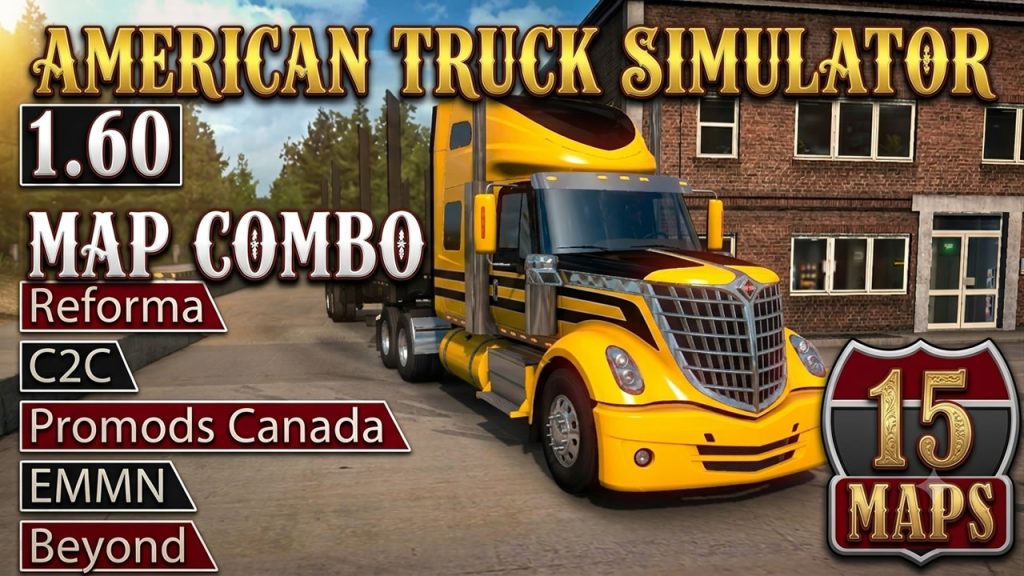
Guide mentioned above could be helpful:
Youtube channel as well as this blog is my hobby so I can spend on it only the free time. If you like my content please consider to support Trucksim on Patreon.
Map Combo Beginners Guide for ETS2 & ATS
I’m not covering one specific combo in this guide – I’m covering the principles that work for any combination, on any version. Whether you’re watching this on 1.60 or something newer, the logic stays the same.
Requirements
Before downloading anything, two things need to be in order.
First — the game itself. ETS2 and ATS are Steam titles. You need a legitimate copy. That’s it, no workarounds needed.
Second — map DLCs. You need all of them. Not most, not the ones you like — all of them.
Mod developers build on top of official DLC assets. If you’re missing even one DLC, mods that use its roads, cities, or terrain data will fail or cause crashes.
For ETS2 that currently means all paid map DLCs: Iberia, Road to the Black Sea, Beyond the Baltic Sea, Italia, Vive la France, Scandinavia, Going East, West Balkans, Greece, and Nordic Horizons. For ATS: every state DLC released to date, which as of 1.60 includes Illinois.
One thing worth knowing: both games receive periodic free reworks of older regions. SCS rebuilds areas from scratch and ships them as free updates — Benelux, Germany, Austria for ETS2; Route 66 and California for ATS, with UK coming next for ETS2. These are not separate purchases. They arrive with game updates and automatically improve existing DLC content. Mod developers build on top of these too, so keeping your game updated matters just as much as owning the DLCs.
Budget tip: Paid DLCs go on deep discount during Steam seasonal sales — Summer, Autumn, Winter. If you just bought the game, wait for the next sale before spending on all of them. It’s worth it.
Collecting Mods
The easiest starting point is a ready-made combo guide — like the ones on trucksim.top — where someone has already listed all the links in one place. Use the most recent date you can find, because mod versions change with every game update.
Most mods are hosted on Sharemods, MediaFire, Trucky or similar file hosts. Some require a free account, some have slow download speeds on the free tier — that’s normal, just factor in the time.
A few things to know before you start downloading:
Map backgrounds are critical. They look like optional extras but they’re not — they contain map data, zoom levels, and extensions that the combo needs to function. Always include them.
Patches and road connections are not optional. Every combo needs connection patches between maps, and usually a combo fix file. These are small files that most beginners skip — and then wonder why the combo crashes.
Extra mods need caution. Weather mods, real company mods, sound packs — these can conflict with map mods. If you want to add something not in the guide, add it alone first and test before adding more.
On piracy: Don’t use unofficial repacks of paid mods. Beyond the ethics, you simply can’t verify what’s in the file. Stick to official sources linked by the developers.
Installing Mods
All mod files go in one folder:
- ETS2:
Documents / Euro Truck Simulator 2 / mod - ATS:
Documents / American Truck Simulator / mod
Files should be in .scs format. Some downloads come as .zip — if the zip contains .scs files inside, extract them. If the zip itself is the mod, it can sometimes work as-is.
Keep this folder clean. Remove mods you’re no longer using. My active ETS2 mod folder runs over 100GB — if you let outdated files accumulate, troubleshooting becomes a nightmare.
Always create a separate profile for map combos. Don’t mix a big combo with your main save. This protects your existing progress and makes testing much easier.
Performance Settings
Good news here — this got simpler with recent engine updates.
Config file: Navigate to your game’s config.cfg. Find the line uset r_buffer_page_size and make sure it’s set to the default value of 10. Some older guides told you to raise this — that advice is now outdated and can actually hurt performance on current versions. Reset it to 10 if you changed it.
Steam Launch Options: If you have memory allocation parameters in your launch options — specifically -mm_pool_size, -mm_max_resource_size, or -mm_max_tmp_buffers_size — remove them. The engine no longer needs manual memory allocation. The game manages it better on its own now.
What you can keep:
64bit -nointro -unlimitedlog -rdevice dx11
That’s enough. Clean and simple.
Load Order
This is where most beginners go wrong. Load order is not optional and it’s not flexible — wrong order means a broken combo, guaranteed.
The mod manager starts empty the first time you open it. You move files from your mod folder into the active list one by one, and the position of each file in that list is the load order.
The key principle beginners miss: fixes don’t go in one block at the bottom — each fix sits directly above the map it patches. A fix file needs to load after the map it’s correcting, so it sits above it in the list. Road connections between two maps sit above both of them.
Map background goes at the very top — it needs to see the entire combo below it to extend and render it correctly.
This is why you cannot improvise the order. Don’t try to figure it out yourself — just follow the exact sequence from the guide you used. The video description shows the full list. Copy it exactly.
Troubleshooting
If the combo doesn’t load or crashes:
Check these first, in this order:
- Are all map DLCs installed and activated in Steam?
- Is every file from the guide present in your mod folder — including patches, fixes, and backgrounds?
- Is the load order exactly as shown in the guide?
- Are there any extra mods active that weren’t in the guide?
Most failures trace back to one of these four. There’s no shortcut — if something is wrong, you go back through the checklist.
The game log file (game.log.txt in the same folder as config.cfg) will show you exactly which mod is causing a conflict if you want to dig deeper.
After a Game Update
This is the reality of live-service games: when ETS2 or ATS updates, most map mods need to update too. You can’t run 1.59 mods on 1.60 — the game will tell you they’re incompatible.
When a new version drops:
- Don’t update the game immediately if you’re mid-combo
- Wait for mod authors to release updated versions — this usually takes a few days to a couple of weeks for major mods
- Check trucksim.top or the channels you follow for an updated combo post before rebuilding
Patience after a game update saves a lot of frustration.
That covers everything you need to build a working map combo from scratch.
Support Trucksim!
Hello everyone and welcome to Trucksim blog,
I revived my Patreon early this year and sometimes do extra content there.
I wanted to have an honest conversation with you about Trucksim and its future.
What This Project Is
For over 6 years, I’ve been creating detailed map combo tutorials, hidden road guides, and 100% discovered profiles for both ETS2 and ATS. Every major game update, every DLC release, every map mod version – I’m there documenting it, testing combinations, and making sure you have working setups.
The blog (trucksim.top) and YouTube channel exist because I genuinely love this community and these games. But here’s the reality: this is a hobby that takes significant time and effort.
The Real Numbers
Currently, the YouTube channel generates about $30-40 per month from ads. To put that in perspective:
- Each map combo tutorial takes 6-10 hours (testing, recording, editing, writing)
- 100% map discovery guides take 50-60 hours of gameplay per version
- Hidden roads compilations require meticulous exploration and documentation
- The blog requires constant updates, hosting, and maintenance
I earn more in an hours at my regular job than the channel generates in a month. This has always been about community contribution, not income.
Why I’m Setting Up Patreon
I want to keep creating these guides. The community clearly finds them valuable – you watch them, use the profiles, and follow the tutorials. But as the games grow more complex (70+ map combos, over 350 hidden roads in ATS and ETS2, massive map expansions), the time commitment keeps increasing.
Patreon isn’t about getting rich. It’s about making this sustainable as a hobby without feeling like I’m working for free.
Free Content (Always):
- All YouTube tutorials remain free
- All blog guides remain free
- All profiles and save files remain free
- Nothing changes for people who can’t or don’t want to support
The Bottom Line
If 50 people support at $3/month, that’s $150 – roughly what it costs me in time to maintain this project monthly at a minimum wage equivalent. If 100 people support at $3/month, I can justify dedicating more regular time to this instead of feeling guilty about not working on paid projects.
If you’ve ever:
- Saved hours using one of my profiles
- Successfully set up a complex map combo thanks to a tutorial
- Found all the hidden roads using my guides
- Appreciated having free, detailed documentation
…and you can afford $3-10/month, please consider supporting.
If you can’t afford it – that’s completely fine. Everything stays free. I mean that sincerely.
What Happens If Support Doesn’t Come?
Honest answer: Since the income from Patreon since I re-opened it is still very low I’m keep making content, but less frequently. I reduced count of guides and focus only on major updates (new DLCs, significant map releases) instead of every minor version. Instead of spending 5 hours a day I spend only 1. Also unfortunately I removed from description here all perks for higher tier since no-one subscribe it. And itself content for Patreon only also reduced to minimum.
Thank You
Whether you support financially or just watch/read – thank you for being part of this community. Truck sim modding is a niche, but it’s a passionate one, and I’m proud to contribute to it.
Let’s keep this truck rolling (sorry, had to).
Patreon: https://www.patreon.com/c/punkito YouTube: youtube.com/@trucksim Blog: trucksim.top
— Punkito (Trucksim Top)
SCS Announced Nevada Rework Project
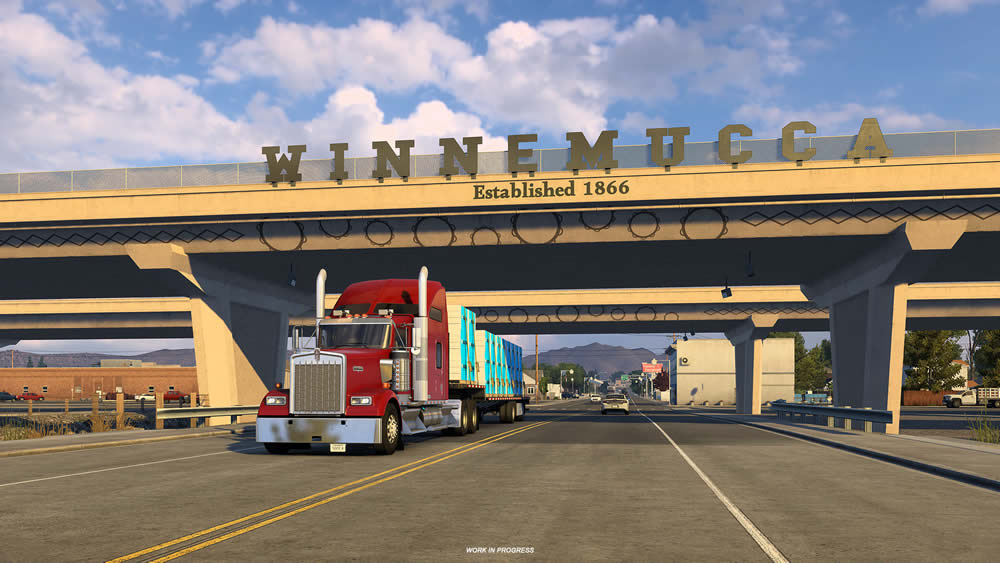
If you’ve spent any time hauling through American Truck Simulator’s Nevada, you know it’s one of those maps that’s been quietly showing its age. Fitting, since it was one of the states that shipped with the base game — and now SCS has confirmed it’s next in line for a ground-up overhaul.
What SCS Announced
SCS Software revealed the Nevada Rework Project, following on from the studio’s recent work reworking Route 66. This next major undertaking will completely overhaul the Silver State. Nevada joins the growing list of original ATS states – after Route 66 – getting brought up to modern mapping standards.
Map designers will rework every existing city and road network in the state to match the quality of SCS’s newest content, and because Nevada was one of the original states released with ATS, the team will be able to rebuild many locations from scratch while keeping the atmosphere that makes the state distinct. In other words: this isn’t a quick texture pass, it’s the same “erase and redraw” treatment we’ve seen with Utah, Colorado, Wyoming, and others in past rework waves.

New Ground, Not Just Fresh Paint
The part that’ll actually get people talking is the expansion angle. SCS is also using the rework as a chance to add locations and road connections that were missing from the original Nevada map — including the city of Fallon, east of Carson City, along with the missing stretch of US-95 running north-south through it.
That’s a real gap being filled — anyone who’s driven the current Nevada knows the state feels sparse and disconnected in places compared to newer DLCs. Adding Fallon and completing that US-95 corridor should make the drive between Reno/Carson City and the rest of the state feel a lot less like a shortcut through empty desert.
On top of the road network work, SCS says the state will also get a variety of brand-new custom depots, giving players more diverse delivery destinations and making freight runs across Nevada feel more immersive.
Where This Leaves Things
SCS is framing this as just the start, with more development previews to come as the project progresses. No timeline yet – which tracks, since these state reworks tend to be multi-post journeys before they actually ship. Expect the usual drip of city-by-city previews over the coming months.
For those keeping score, this puts Nevada alongside the current lineup of “originals getting reborn” – following the Route 66 corridor rework – and suggests SCS is committed to slowly bringing the entire original ATS map up to 2026 standards.
Nevada was overdue. Vegas aside, the state always felt like the thin connective tissue between California and Utah rather than a destination in its own right. If Fallon and the US-95 gap get filled in the way SCS is describing, this could turn one of the most-skipped states in the game into one worth detouring through.
Source: SCS Software Blog – Nevada Rework Project: First Overview
100% discovered study 07.25.2026
Finally I have guides for 100% in both games in 1.60 and even more. It is obviously 1.61 is right around the corner, but we still don’t know whether the map will be affected by the new version.
Below you can find 100% for ATS and ETS2. As well as 100% on ProMods 2.83.
I’m not sharing my RoExtended profile, but on it I’ve also reached 99.96%, after discovering new roads.
Technically I figured out how to extract map sectors and convert them into discovered items. It feels a bit like cheating, but it’s the only way to discover some mods with glitchy sectors. I won’t be sharing the process, since it’s fairly complicated and requires coding knowledge — I’ll just use it occasionally to create “dream profiles” with fully discovered maps.
Since this kind of content isn’t very popular, I don’t think it’s worth making videos about it — the evidence is right there: even the merging guide doesn’t get much traction, and I suspect content about decoding files would just bring a storm of negative feedback.
ATS 1.60 – 100% Explored map with all DLC (July 2026, all map DLCs)
[Guide] ETS2 1.60 – 100% Explored map with all DLC (July 2026, all map DLCs)
[Podcast] ETS2 1.59 – 100% Explored Promods map (June 2026, including Vanilla)

I do these discovery since 2017 and I discover whole map almost on every game versions including all expansions and reworks. Should I update it? Or create the one for ATS?

North Dakota teased
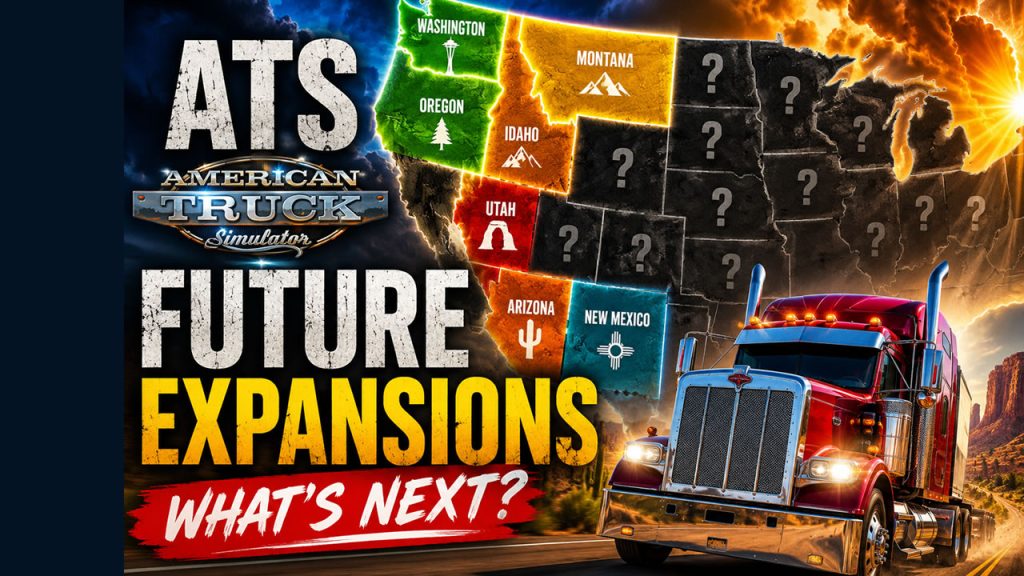
SCS teased on their social media a next upcoming DLC for ATS (which will be after South Dakota and British Columbia expansions). Gigantic fish monument tells us that it will be North Dakota – World’s Largest Catfish is in Wahpeton, ND – famous for the Red River of the North, a premier fishery for channel catfish, walleye, and northern pike.

After the South Dakota it is quite predictable step in USA and we can assume this DLC will out nor early that 2027-2028.
Map Combo Study 07.22.2026
Version 1.60 for ETS2 and ATS is still actual and we have some time to enjoy big map mods configurations until that. While I’m testing now gigantic map combo for ETS2 (I hope to finish it on upcoming weekend but not sure) below you can see latest guides for both games with actual mod versions. ATS combo is final but there is lots of additions in Europe. I’m not rushing out a combo setup, I will release only those that I personally enjoy and would actually use myself.
Lately I’ve also updated Beginner’s Guide which help new comers to dive to combos world. Also since it was drastic changes in game engine in 1.59 I strongly recommend watching it everyone who did not touch configurations for a while. It will save you time, prevent recurring issues, and help you create a stable and enjoyable setup from the start.
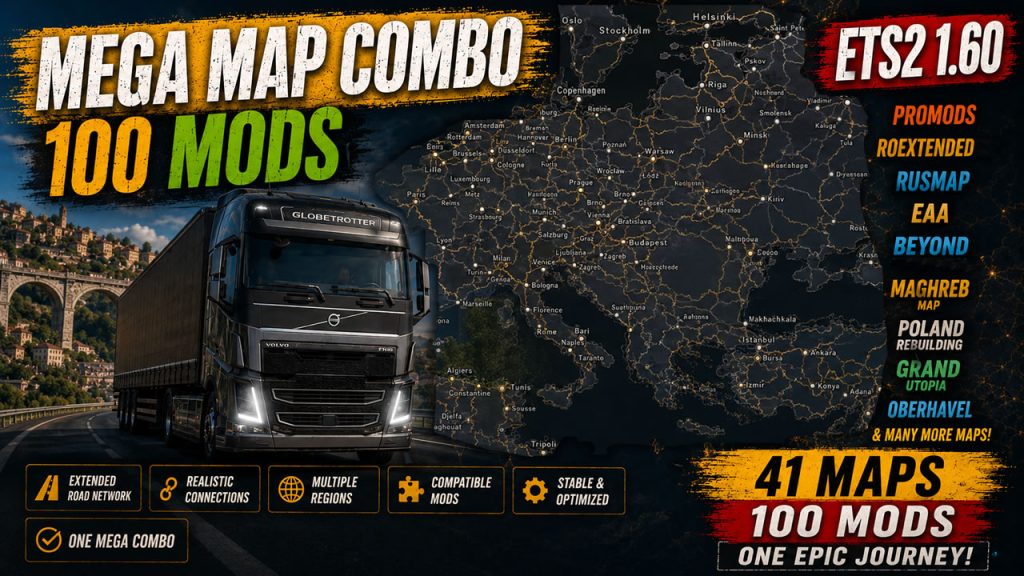
ETS2 Mega Map Combo for ETS2 1.60 – Tutorial – July, 6 – 2026
ATS Final Map Combo for ATS 1.60 with 15 Maps – July, 14 – 2026
Guide mentioned above could be helpful:
Youtube channel as well as this blog is my hobby so I can spend on it only the free time. If you like my content please consider to support Trucksim on Patreon.
Final Map Combo for ATS 1.60 with 15 Maps – July, 14 – 2026
Final map combo for ATS 1.60. It includes Coast to Coast, Promods Canada, Reforma, Beyond, ATMX, Grand Utopia of America, Radiator Springs, More American Cities, Sierra Nevada and other mods. Links below consist 15 maps and additions. Only Free mods.
Links:
📌Coast to Coast Map 2.23.60.0 https://trucksim.top/mck5
📌Coast to Coast FIX 1.60 – 1.0.0 https://trucksim.top/77rf
📌Reforma 2.9.9.160 https://trucksim.top/j8q9
📌Reforma Mega Resources 2.9.9.160 https://trucksim.top/et5v
📌Reforma Sierra Nevada 1.16.160 https://trucksim.top/0vxg
📌Reforma Other Maps Patch 37.160 https://trucksim.top/pnhz
📌Promods Canada 1.6.3 https://trucksim.top/38bg
NEW📌ATS Expansion 22 (Requires Volvo Construction and Heavy Cargo DLCs) https://trucksim.top/2363
UPDATE📌Grand Utopia of America 1.5a https://trucksim.top/n1yv
📌Grand Utopia of America – Base Map Connection 1.3 https://trucksim.top/1nzq
📌More American Cities 1.0b https://trucksim.top/3gzl
📌More American Cities Fix 1.60-1.0.0 https://trucksim.top/98mf
📌More American Cities – Reforma Sierra Nevada FIX 1.60-1.0.0 https://trucksim.top/s37m
NEW📌More American Cities – ATS Expansion FIX 1.60-1.0.0 https://trucksim.top/7z8a
NEW📌Beyond ATS 10.0 https://trucksim.top/l58f
NEW📌Coast to Coast – Beyond RC https://trucksim.top/gtlx
NEW📌Beyond – ProMods Canada Fix 1.60 – 1.0.0 https://trucksim.top/4fro
📌American Open Spaces 1.2 https://trucksim.top/805p
📌EMMN Expansion 1.60-1 https://trucksim.top/bt97
📌Ontario-Quebec V13-160 https://trucksim.top/wi8b
📌EMMN – Ontario-Quebec RC 1.60-2 https://trucksim.top/o5pr
📌EMMN – Promods Canada RC 1.60-1 https://trucksim.top/e4dy
NEW📌EMMN – ATS Expansion RC 1.60-1 https://trucksim.top/68g6
📌Radiator Springs 1.3 https://trucksim.top/58w2
📌Radiator Springs Fix 1.60-1.0.0 https://trucksim.top/r2yv
📌Project Better Arizona 0.5.2 https://trucksim.top/rf0s
UPDATE📌Project Better Arizona Reforma Connection 1.15.1 https://trucksim.top/aeg7
📌West Coast Ferry Terminals 1.1.2 https://trucksim.top/feih
📌Trucksmap USA 1.7.1.60 https://trucksim.top/34dk
NEW📌ATMX 9.0 https://trucksim.top/o798
📌Ultimate Combo FIX – ATS 1.60-1.0.0 https://trucksim.top/ubvp
📌North America Map (Dark) (Steam Workshop) https://trucksim.top/e943
Hidden Roads Study – July, 6 2026
Both ATS and ETS2 1.60 are here and all secret roads are found in both games (I hope I haven’t missed any). Final guides for Europe with 114 roads and 281 in America are available on my channel and next stop I guess is South Dakota this Summer-Fall.
If I find any new roads or you suggest one I will not update it instantly since I skip mid-tier guide videos because of low views on YouTube. The same issue affects 100% discovery guides and map combo content. I know there’s interest from my audience, but without YouTube helping push this type of content, it quickly gets buried.
You can always check the complete list of cities with hidden paths here: https://trucksim.top/y9t6. It probably won’t reveal the exact secret road locations, but it can help you figure out if you missed any areas.
ETS2 (updated 06.01.2026, actual on 1.60 with all map DLCs, 114 roads so far)
ATS (updated 06.28.2026, actual on 1.60 with Illinois DLC, 281 roads so far)
Collection of 18 found roads in Illinois with locations footages.
100% discovered study 07.05.2026
At the moment, we’re at almost 100% in both games (a few small pieces in ETS2 1.60 haven’t been documented yet). The short lifecycle of each game version makes this more challenging, because map exploration — especially pixel hunting at the end — takes a lot of time. And 1.61 is right around the corner for both games, so we still don’t know whether the map will be affected by the new version.
Below you can find 100% for ATS, and about 99% for Europe on 1.60. It’s a similar story with the vanilla + ProMods setup — it’s not 100% on ProMods 2.83, but very close, and I’ll finish it later this month before the new ProMods release comes out.
I’m not sharing my RoExtended profile, but on it I’ve also reached 99.96%, after discovering new roads.
Good news on the 100% front: I finally figured out how to extract map sectors and convert them into discovered items. It feels a bit like cheating, but it’s the only way to discover some mods with glitchy sectors. I won’t be sharing the process, since it’s fairly complicated and requires coding knowledge — I’ll just use it occasionally to create “dream profiles” with fully discovered maps.
Since this kind of content isn’t very popular, I don’t think it’s worth making videos about it — the evidence is right there: even the merging guide doesn’t get much traction, and I suspect content about decoding files would just bring a storm of negative feedback.
ATS 1.60 – 100% Explored map with all DLC (July 2026, all map DLCs)
[Guide] ETS2 1.59 – 100% Explored map with all DLC (with Benelux Rework) (May 2026, all map DLCs including Nordic Horizons) (not fully covers ETS2 1.60)
[Podcast] ETS2 1.59 – 100% Explored Promods map (June 2026, including Vanilla)
I do these discovery since 2017 and I discover whole map almost on every game versions including all expansions and reworks.