Farm Machinery Stream in 3 Minutes
Agriculture plays a vital role in Europe’s landscape, economy, and culture. From small family farms to large industrial operations, farmers depend on a wide range of equipment to keep their fields productive, but none of it would arrive without you, the trucker, delivering it.

American Trucks Simulator Bundles Shopping Strategy
With new Iowa DLC it is already 18 state DLC released for American Truck Simulator to date. Unless California, Nevada and Arizona are available for free, all other states are chargeable and if you start purchasing expansion from the scratch it can be really costly. For sure, better way to buy add-ons on sales but you can save even more with bundles and for now we have already 6 bundles which includes not only map DLC but also other nice add-ons. And one of the benefit of bundles that it gives discount on total price but if already have DLCs from the list its price will be excluded.

Below you can find all available bundles including brand new with Iowa DLC. Unfortunately Missouri Mighty Haul disappeared right now so Missouri DLC is selling for full price.
Great Plains Calling! Bundle

This amazing bundle includes Nebraska, Kansas, Oklahoma, Texas, Wyoming, Montana, Colorado and New Mexico.
Link to Steam: https://store.steampowered.com/bundle/33975/Great_Plains_Calling_Bundle/
Northwest Bundle

Bundle includes not only maps but base game itself, and several other DLCs so it is great jumpstart pack. States in bundle: Oregon, Washington, Idaho, Wyoming and Montana. Additionally in bundle: Forest Machinery, Wheel Tuning Pack and Retrowave Paint Jobs Pack.
Link to Steam: https://store.steampowered.com/bundle/28881/Northwest_Bundle/
Texas-sized Bundle

This bundle gives you also a nice value. It includes base game, couple states: Texas and New Mexico, tuning, paintjobs and special cargo DLCs. Wild West Paint Jobs Pack, Heavy Cargo Pack, Special Transport, Space Paint Jobs Pack and Wheel Tuning Pack.
Link to Steam: https://store.steampowered.com/bundle/28883/Texassized_Bundle/
Arkan-saw Bundle

This bundle is a small one and only includes Arkansas DLC and Forest Machinery. Arkansas is available in this bundle only.
Link to Steam: https://store.steampowered.com/bundle/45098/Arkansaw_Bundle/
Southwest Bundle

States included in this valuable bundle: New Mexico, Utah, Colorado. But it also includes Base game and Special Transport, Heavy Cargo Pack, Steering Creations Pack and Classic Stripes Paint Jobs Pack.
Link to Steam: https://store.steampowered.com/bundle/28882/Southwest_Bundle/
Iowa Freight & Fields Bundle
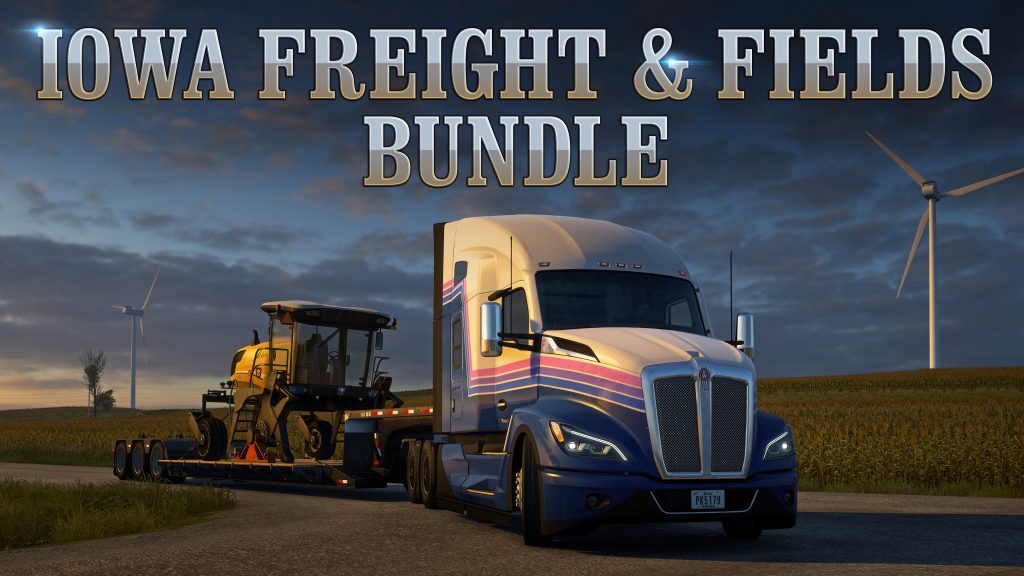
This is the latest bundle which includes Iowa DLC, Forest Machinery, Retrowave Paint Jobs Pack and Special Transport
Link to Steam: https://store.steampowered.com/bundle/56131/Iowa_Freight__Fields_Bundle/
As you see some DLC can be presented in several bundles. And content of bundles periodically changes as well as bundles themselves. Above information is actual to July 2025 and ATS 1.55 so please check if bundles available for you or not. The same for pricing and discounts. Prices can be vary depending of region and current Sales.
Hidden Roads Study – July, 21 2025
I’m trying to share all found hidden secret roads in both American Truck Simulator and Euro Truck Simulator 2 and for if for Europe we have no many of them since the Greece release in 2024, for America we had significant update after the Missouri release and have some new added with Iowa. And as mentioned on Telegram I discovered couple of new roads in Iowa and added them to list of cities by states https://trucksim.top/y9t6. I believe a lot others will be found while cruising Iowa and in the end I will refresh the video guide.
This takes considerable time, and YouTube analytics show that viewers prefer map mod combinations over guides like these. Therefore, I’ll be giving this project lower priority, along with other regular guides
ETS2 (updated 04.25.2025, actual on 1.55, 80 roads so far)

ATS (updated 05.16.2025, actual on 1.55 without Iowa, 224 roads so far)

Unfortunately, YouTube search results often prioritize older videos, so even though I’m updating descriptions, outdated guides still rank higher in search results. Please always check if a more recent and updated guide is available.
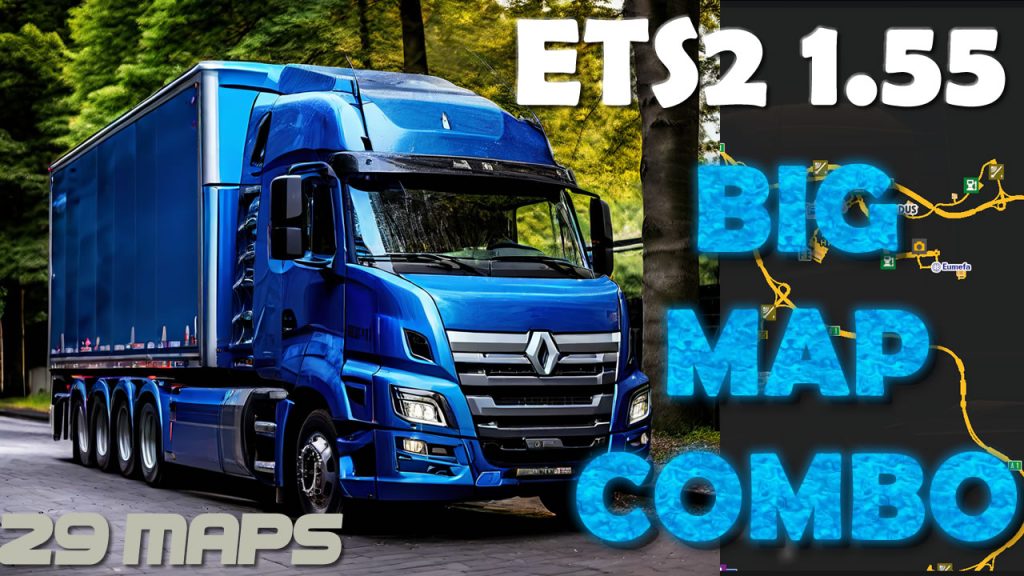
First Big Map Combo for ETS2 1.55 – Tutorial – July, 19 2025
Since release of ETS2 1.55 not all of map mods updated so this map setup is initial and temporary until other big maps will be released. Today’s combo includes 29 map mods incl. Roextended, Caucasus, RIW, JRR, Rhineland, Heart of Africa and many more. 29 maps, 63 files, RCs, fixes. As always please follow the instructions in video and note that combo designed to version 1.55 and requires all map DLCs. Some maps have premium versions but most mods are free.
If you don’t have experience with map combos please first watch Beginner’s Guide
Links
📌Roextended 4.7 (premium or free version) https://trucksim.top/dlpr
📌Roex Road Connections (Roex, RM, SR) https://trucksim.top/ncg0
📌Map of Republic of Kazakhstan 0.8 https://trucksim.top/sxd1
📌Kazakhstan FIX 1.3 https://trucksim.top/epsk
📌Kazakhstan Sibir RC 1.0 https://trucksim.top/wdb7
📌Caucasus dream map 2.5 https://trucksim.top/di0x
📌Caucasus Dream Fix 1.55-1.0.0 https://trucksim.top/yz6r
📌JRR (Java Road Revolution) 0.85a https://trucksim.top/toe0
📌Sibir Map 2.10.2 https://trucksim.top/9etl
📌SibirMap Fix 1.55-1.0.0 https://trucksim.top/nr9d
📌Antarctica Map 0.8-1.55 https://trucksim.top/srt0
📌Nauru Map 1.1fix https://trucksim.top/fi3a
📌Nauru Map Fix 1.55-1.0 https://trucksim.top/52n5
📌Canada Map 0.2.5 (DEF only needed) https://trucksim.top/4wbg
📌Canada Map Fix 1.1 https://trucksim.top/xy3m
📌Senj West Balkans Map Add-on 1.3 https://trucksim.top/apxh
📌West Balkans Path-Breaker’s Direction Map 4.5 https://trucksim.top/99lu
📌Rröfte kosova – West Balkans Improvements 0.3.3 https://trucksim.top/qbcq
📌Grand Utopia Map 1.18.1 https://trucksim.top/a6bq
📌European Grand Utopia 1.55-1.8 https://trucksim.top/7ib0
📌rusmap 2.55 https://trucksim.top/osds
📌NNmap 1.2.1 https://trucksim.top/ndid
📌NNMap – rusmap RC 1.55-1.1 https://trucksim.top/hina
📌rusmap – NNMap Fix 1.55-1 https://trucksim.top/p3ra
📌Alekseevskoye – Almetyevsk Highway Addon 1.0-1.55 https://trucksim.top/74qi
📌Belt Of The Tundra 1.1.2 https://trucksim.top/gq1n
📌Belt Of The Tundra Fix 1.55-1.0.0 https://trucksim.top/o54m
📌Trans-Siberian Truckway 1.9 https://trucksim.top/zg3d
📌Trans-Siberian Truckway – SibirMap RC 1.9 https://trucksim.top/irwr
📌Trans-Siberian Truckway – Belt of the Tundra RC 1.9 https://trucksim.top/b5st
📌Bengan’s Swedish Islands Map 1.55-1.0.0 https://trucksim.top/wrak
📌West Africa 0.03-1.55 https://trucksim.top/i0c9
📌Africa Extended 1.3-1.55 https://trucksim.top/z5xv
📌Road into wilderness (RIW) 2.1 https://trucksim.top/ogwl
📌RIW Fix 1.55-1.0 https://trucksim.top/2dn6
📌RIW – West Africa RC 1.1 https://trucksim.top/u4oy
📌Project Comoros 1.55-1.0 https://trucksim.top/sxa6
📌Barcelona Expansion SCS add-on 1.2 https://trucksim.top/nspt
📌More European Cities (Greece) 1.1 https://trucksim.top/xmyc
📌More European Cities (Switzerland) 1.1 https://trucksim.top/o31m
📌MedMap Reborn 1.55-1.0 https://trucksim.top/oasq
📌MedMap – ROEX Fix 1.55-1.0 https://trucksim.top/ne7w
📌Rhineland Map 1.2 https://trucksim.top/8nz7
📌Rhineland Fix 1.55-1.0.0 https://trucksim.top/ffz3
📌SJMap R6 https://trucksim.top/zt8m
📌FLD Patch by Jerry GMC Master Fixer 1.55-1.0.0 https://trucksim.top/u4av
📌All World Map 1.55-2.0.0 https://trucksim.top/80ao
Bonus Mods:
📌Route Advisor for ETS2 https://trucksim.top/p9h9
100% Discovered Map of ETS2 1.55 (Save game) and tutorial
With the new version of Euro Truck Simulator 2 1.55 we got new features but map have not been affected so the guide for 1.54 is still actual in July 2025. I’m not sure about profile so deleted link to it but game.sii strings are ok.

How to do it? You can see on another videos like one below for instruction. All map DLC required
Save game (game.sii) discovered items strings (you can modify your own profile): https://sharemods.com/sbr79ko0zc6h/ets154fullsave_trucksim.zip.html

News and updated on telegram channel https://t.me/trcksm
How to Merge Map Progress in Profiles for ETS2 and ATS – 2025 Guide
In this short guide I will explain you how to merge several profiles map discovery progress on example of merging vanilla 100% and Roextended 89% profiles on ETS2 1.53. You can try this scheme on 1.55 and in both ETS2 and ATS. Below you can find link to text version, tools and also ready strings used in this video (updated to 1.55 for America).

Guide:
1. Reason
Merge discovered items in two profiles let you have updated visited roads in the end even if you exploring maps on different profiles. Also when the new version of the game is being released you can again discover as much as possible and then merge with your old combined profile.
2. Preparations and tools
Download and install software we plan to use – TS SE Tool, Notepad++, make sure that you have mods in mod folder if you plan to merge mod’s profile, make sure that Steam cloud disable for all profiles which will be changed, check config file if you can decrypt game files (g_save_format 2) and can use console (uset g_developer 1, uset g_console 1) and so on.
3. Backup
Backup all the profiles to the separate drive before doing any manipulations.
4. Profiles job
Enter to the profiles you wish to merge and save game to locate desired profiles by timestamp. You should carefully pick correct profiles. Decrypt profiles one by one and open game.sii in each mergeable profile and copy all discovered items to new text file (in this file we will merge them). We can merge 2 or more profiles but don’t forget that it should be from the same version of the game.
5. Merge (most important part)
When all discovered items strings pasted to the text file we have to change the order of numbers – the way as game read each string. Start from removing left part of the string (discovered_items []: ) with Notepad ++ command Find and Replace (Ctrl+C). On the Find what enter discovered_items \[\d+\]: and keep blank on Replace with (we have to remove them). Do not forget check Regular Expression in Search Mode. Replace all and you will get list of numbers. On this step you can also remove duplicates. Now we have to return discovered_items []: text with empty brackets. Alt+C and choose Text to insert and place there discovered_items []: and push ok. On the next step we have to add numbers to the brackets with correct order from 0. Select all in bracket spots (Choose first one and with Alt+Shift select last one) and again Alt+C and choose Number to insert – Initial should be 0, increased by 1, format decimal. Push ok and wait. If you have lot of string it can take a while. When all numbers added to brackets we can remove redundant spaces. Now we can copy strings and paste them to the target profile where will me merged result.
6. Results we get
We have to see discovered roads from 2 or more profiles we combined.
7. Back to play Load from profile where strings added and if you see desired result you can back to game but please bare in mind that recruitment agencies are not gonna work with this method so if you want to hire drivers you game will probably crash. To avoid it hire drivers before profiles modifications.
Useful links:
TS SE Tool https://github.com/LIPtoH/TS-SE-Tool/releases/tag/v0.3.11.0
Notepad++ https://notepad-plus-plus.org
Strings:
Roextended +Vanilla and all DLCs (99% opened) shown on video: https://sharemods.com/3lmagkhl784x/roex99percent_trucksim.txt.html
Vanilla ETS2 1.53: https://sharemods.com/le4g91swcadh/trucksim-ets2-full-save153.zip.html (video guide: https://youtu.be/H12qpCG_RIQ)
Vanilla ETS2 1.54 https://sharemods.com/sbr79ko0zc6h/ets154fullsave_trucksim.zip.html
Vanilla ATS 1.54: https://sharemods.com/2awrhvf2e9fl/trucksim-ats-100discovered-may25.zip.html
Vanilla ATS 1.55 (before Iowa DLC) https://sharemods.com/yd3fx9nrc3w8/trucksim100percent155.zip.html
Promods 2.74 (99.9%) https://sharemods.com/njxw5ia2bwqb/promods-trucksim.zip.html (video: https://youtu.be/sZzEPyASnAM?si=RUmCuI5c0vzeHn59)

Louisiana DLC Sneak Peek
Upcoming DLC for American Truck Simulator of Louisiana State is probably will be released in the end of 2025. I collected official SCS Software footages and pics. You can follow details of the new DLC on official SCS blog and in social media.
